No products in the cart.
$0.00
No products in the cart.
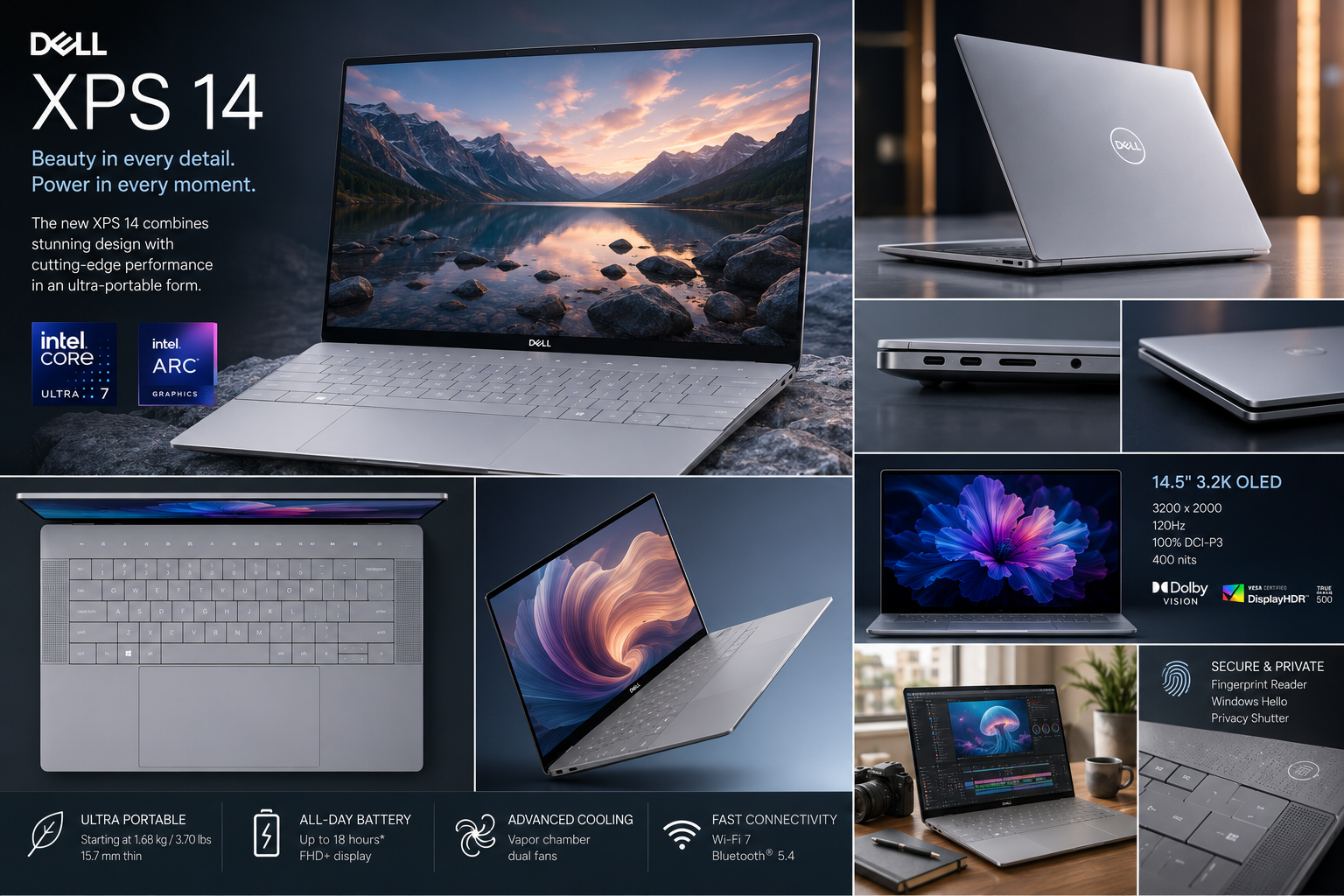
The Dell XPS 14 combines premium craftsmanship, Intel Core Ultra processors, optional NVIDIA GeForce RTX graphics, and a stunning OLED display into one of the most refined Windows laptops available. Positioned between the XPS 13 and XPS 16, it is designed for professionals, developers, creators, and students seeking a balance of portability and high performance.
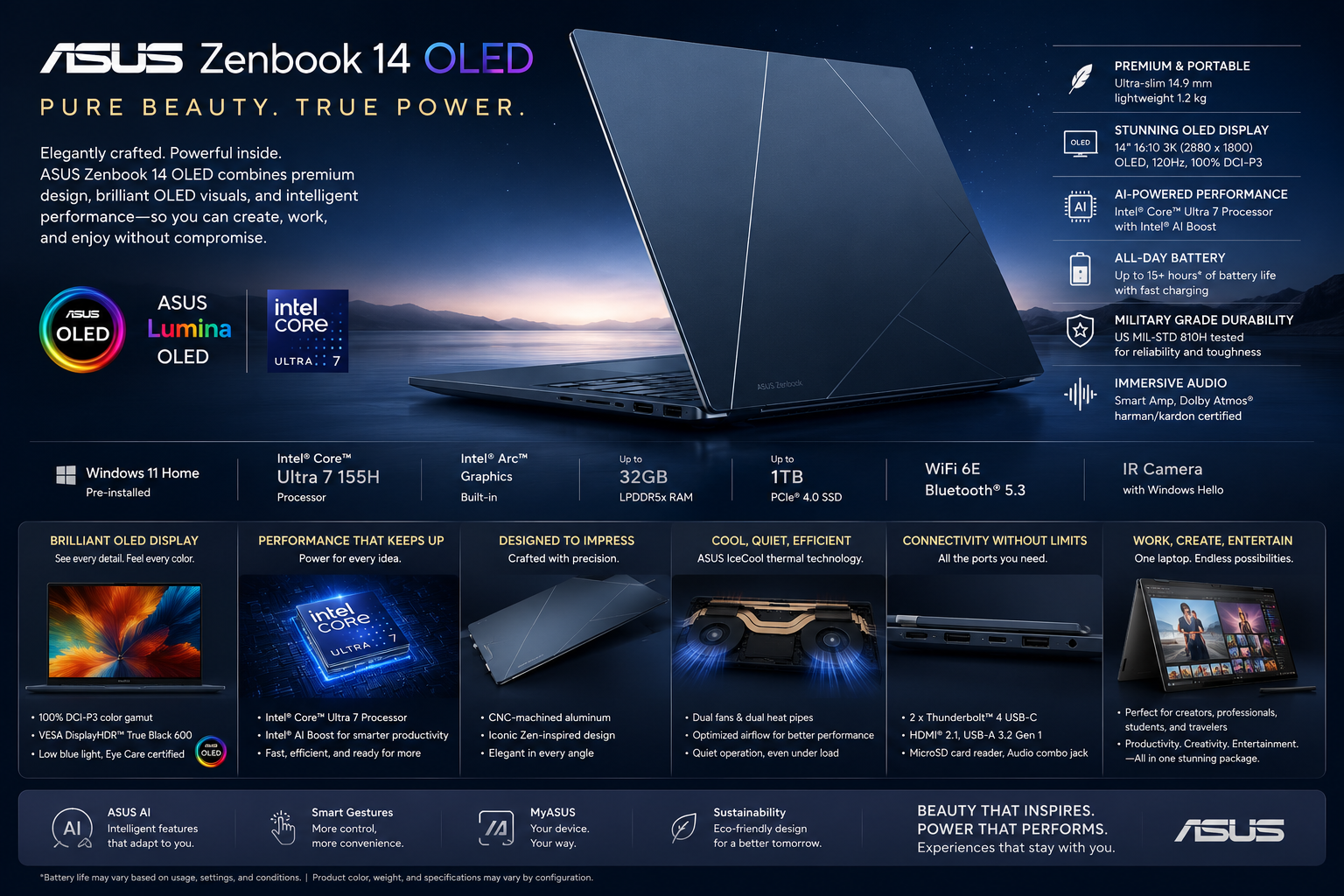
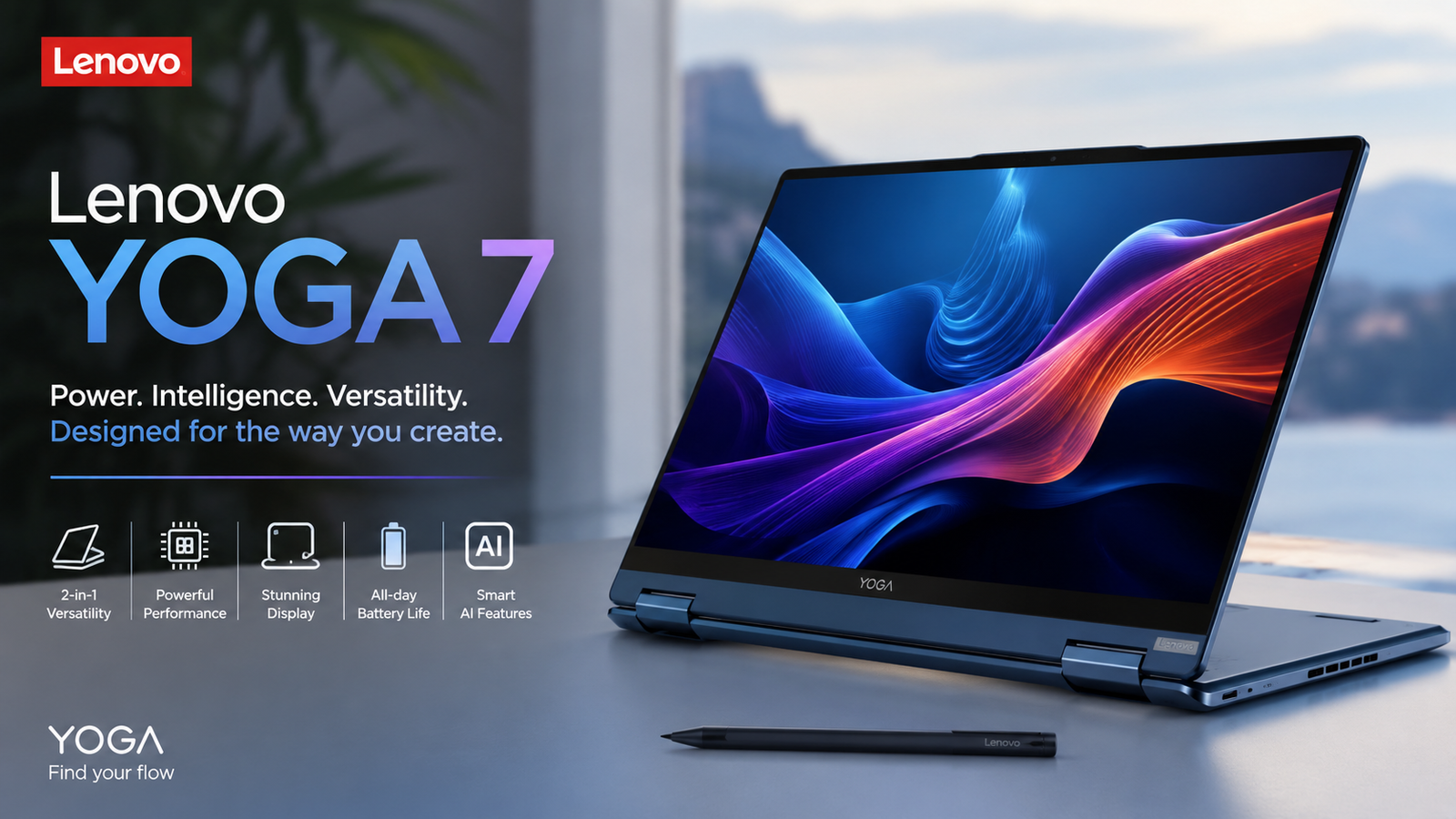
This Digital Plaza review examines the Dell XPS 14 in detail, covering design, display, performance, AI capabilities, graphics, battery life, software, connectivity, pricing, and real-world experience. We separate official specifications from editorial analysis to provide an objective buying guide. Whether you’re comparing it with the MacBook Air, ASUS Zenbook 14 OLED, Lenovo Yoga 7, or HP Spectre x360, this review explains where the XPS 14 excels, its limitations, and which configuration offers the best value.
| Highlight | Details |
|---|---|
| Best Feature | Premium Design |
| Display | InfinityEdge OLED |
| AI Hardware | Intel AI Boost NPU |
| Optional Graphics | NVIDIA RTX 4050 |
| Build Quality | Excellent |
| Battery Life | Very Good |
| Overall Position | Premium Productivity Laptop |
The latest Dell XPS 14 introduces several notable improvements:
The latest Dell XPS 14 introduces several notable improvements:
| Component | Specification |
|---|---|
| Display | 14.5-inch InfinityEdge |
| Resolution | Up to 3.2K OLED |
| Refresh Rate | Up to 120Hz (OLED) |
| Processor | Intel Core Ultra Series |
| Graphics | Intel Arc / RTX 4050 |
| Memory | 16GB–64GB LPDDR5X |
| Storage | 512GB–4TB PCIe Gen4 SSD |
| Camera | Full HD IR Webcam |
| Battery | Up to 70Wh |
| Wireless | Wi-Fi 7 / Bluetooth 5.4 (Configuration Dependent) |
| Audio | Quad-Speaker System |
| Security | Windows Hello |
| Variant | Memory | Storage | Estimated Price (US) |
|---|---|---|---|
| Base | 16GB | 512GB | $1,499–$1,699 |
| Mid-Tier | 32GB | 1TB | $1,899–$2,099 |
| Creator | 32GB | 1TB + RTX 4050 | $2,199–$2,499 |
| Premium | 64GB | 2TB–4TB + RTX | $2,699+ |
| Region | Availability |
|---|---|
| United States | Available |
| Canada | Available |
| Europe | Available |
| India | Available (Selected Configurations) |
| Australia | Available |
| Southeast Asia | Available |
| User | Recommended Configuration |
|---|---|
| Students | 16GB / 512GB |
| Office Professionals | 32GB / 1TB |
| Developers | 32GB / 1TB |
| Creators | 32GB–64GB / RTX 4050 |
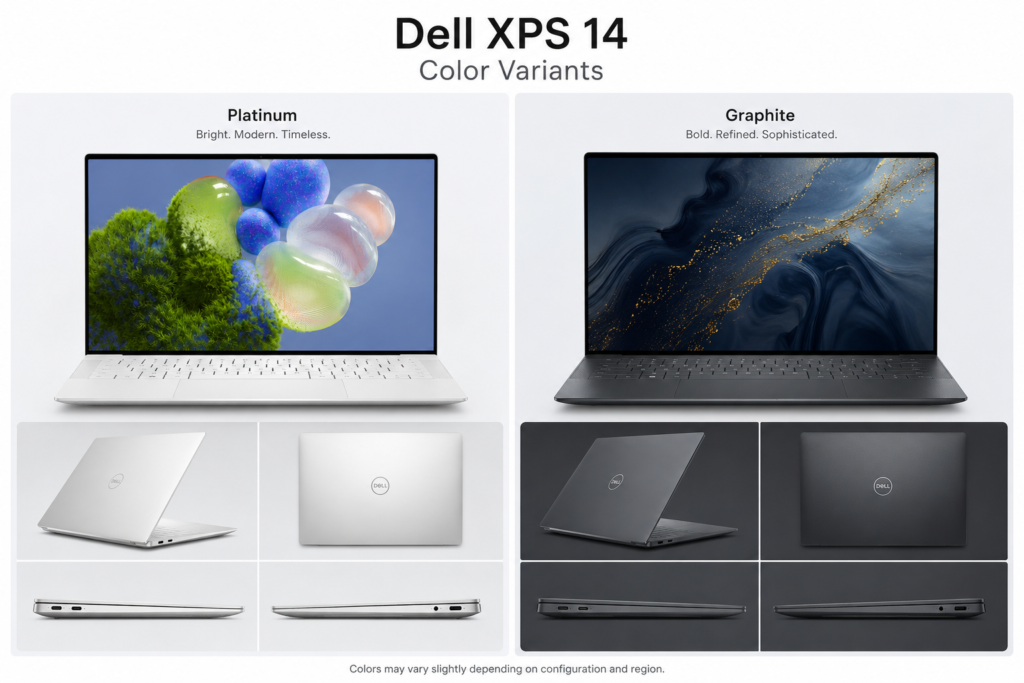
| Color | Availability |
|---|---|
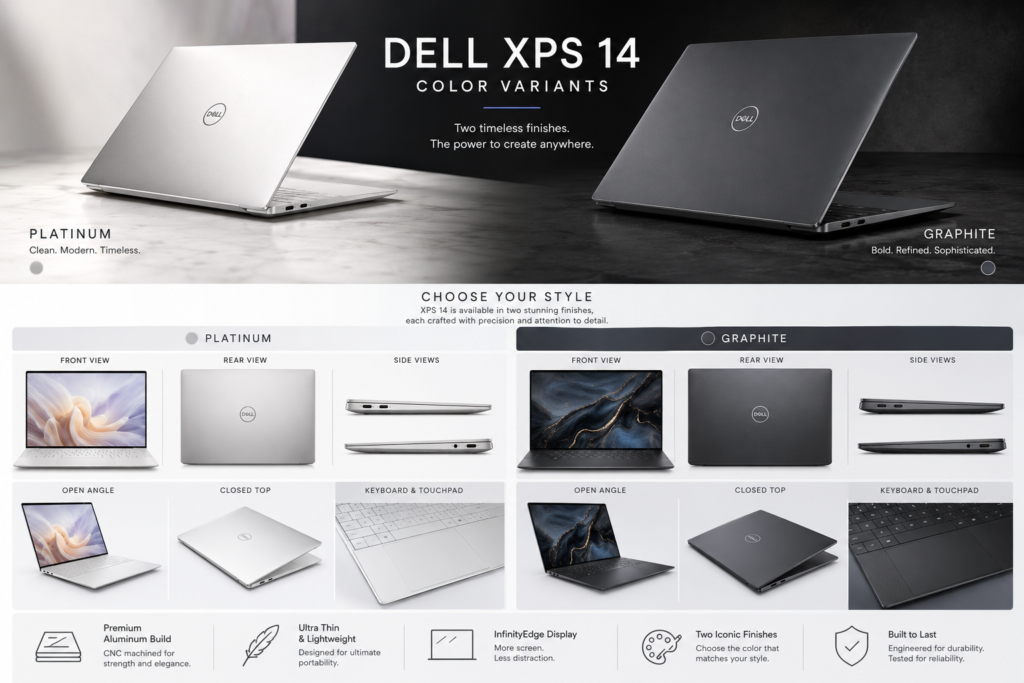
| Platinum | Global |
| Graphite | Selected Markets |
Dell continues its understated design philosophy with premium neutral finishes that suit both business and creative environments. The minimalist aesthetic is likely to age well over the laptop’s lifespan.
| Included Item | Available |
|---|---|
| Dell XPS 14 Laptop | ✓ |
| USB-C Power Adapter | ✓ |
| USB-C Charging Cable | ✓ |
| USB-C to USB-A/HDMI Adapter (Market Dependent) | Selected Models |
| Quick Start Guide | ✓ |
| Warranty Documentation | ✓ |
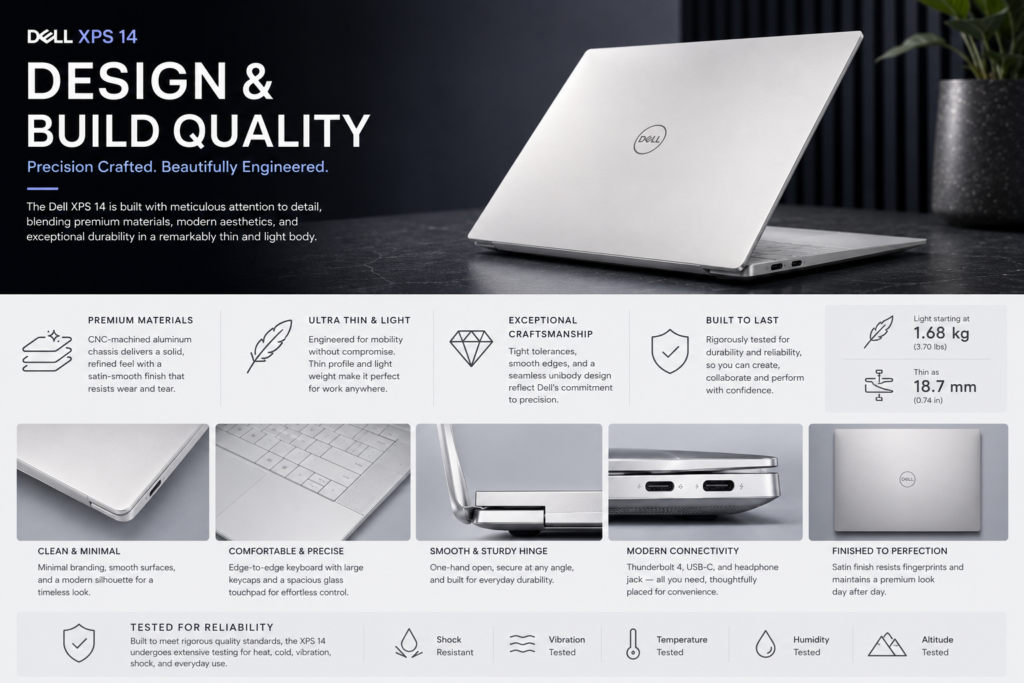
The Dell XPS 14 remains one of the best-built Windows laptops on the market. Its CNC-machined aluminum chassis feels exceptionally solid, while the clean lines and minimalist styling reinforce its premium positioning.
One of the most distinctive elements is the seamless glass palm rest with an integrated haptic touchpad. This hidden touchpad contributes to the laptop’s futuristic appearance, though it may require a short adjustment period for users accustomed to visible trackpads.
The redesigned capacitive function row modernizes the keyboard deck but may divide opinion among users who prefer physical function keys.
Build quality is exceptional throughout, with minimal flex in the lid and keyboard deck. The hinge is smooth yet firm, allowing confident one-handed opening while maintaining stability during use.
The Dell XPS 14 (9440) continues Dell’s premium XPS design philosophy with a CNC-machined aluminum chassis, Gorilla Glass palm rest, edge-to-edge keyboard, and an invisible haptic touchpad. Designed for professionals and creators, it combines a minimalist aesthetic with robust construction while maintaining excellent portability.
| Category | Specification |
|---|---|
| Form Factor | Premium Ultrabook |
| Chassis Material | CNC-Machined Aluminum |
| Palm Rest | Gorilla Glass 3 |
| Display Cover | Precision-Milled Aluminum |
| Finish | Sandblasted & Anodized |
| Colors | Graphite, Platinum |
| Build Quality | Premium Unibody Construction |
| Hinge Design | Precision Torque Hinge |
| Opening Angle | Up to 180° |
| Keyboard | Edge-to-Edge Backlit Keyboard |
| Touchpad | Seamless Glass Haptic Touchpad |
| Fingerprint Resistance | Yes |
| Cooling Intake | Bottom Air Intake |
| Exhaust Vent | Hidden Rear Vent |
| Weight | Starting at 1.68 kg (3.7 lbs) |
| Thickness | 18 mm |
| Dimensions | 320 × 216 × 18 mm |
| Component | Material |
|---|---|
| Top Cover | CNC Aluminum |
| Bottom Cover | CNC Aluminum |
| Keyboard Deck | Gorilla Glass 3 |
| Display Protection | Corning Gorilla Glass |
| Internal Frame | Reinforced Aluminum |
| Hinge | Precision Metal Alloy |
| Feature | Available |
|---|---|
| CNC Precision Machining | ✓ |
| Aluminum Unibody | ✓ |
| Premium Sandblasted Finish | ✓ |
| Edge-to-Edge Keyboard | ✓ |
| Invisible Haptic Touchpad | ✓ |
| Large Glass Palm Rest | ✓ |
| Minimal Display Bezels | ✓ |
| High Rigidity Chassis | ✓ |
| Category | Specification |
|---|---|
| Keyboard Type | Full-Size Chiclet |
| Layout | Edge-to-Edge |
| Backlighting | White LED |
| Multi-Level Brightness | Yes |
| Key Travel | Approximately 1.3 mm |
| Spill Resistance | No |
| Dedicated Copilot Key | Yes |
| Function Row | Capacitive Touch Function Keys |
| Feature | Specification |
|---|---|
| Type | Haptic Glass Touchpad |
| Surface | Seamless Gorilla Glass |
| Mechanical Click | No |
| Force Feedback | Yes |
| Multi-Touch Gestures | Supported |
| Microsoft Precision Driver | Supported |
| Palm Rejection | Supported |
| Feature | Benefit |
|---|---|
| CNC Aluminum Chassis | Premium feel with excellent structural strength |
| Gorilla Glass Palm Rest | Smooth, durable, and modern finish |
| Invisible Haptic Touchpad | Large touch surface without visible borders |
| Edge-to-Edge Keyboard | Maximizes typing area while maintaining a compact footprint |
| Thin InfinityEdge Bezels | Immersive viewing experience in a smaller chassis |
| Minimalist Design | Clean, professional appearance suitable for office and travel |
| Precision Hinge | Stable display with smooth one-handed opening |
| Specification | Value |
|---|---|
| Chassis | CNC-Machined Aluminum |
| Palm Rest | Gorilla Glass 3 |
| Keyboard | Edge-to-Edge Backlit |
| Touchpad | Invisible Haptic Glass |
| Weight | Starting at 1.68 kg |
| Thickness | 18 mm |
| Colors | Graphite, Platinum |
| Build Quality | Premium Unibody |
| Best For | Business, Creators, Professionals |
The Dell XPS 14 (9440) sets a benchmark for premium Windows laptops with its refined industrial design. The CNC-machined aluminum body, seamless Gorilla Glass palm rest, edge-to-edge keyboard, and innovative haptic touchpad create a sophisticated user experience that stands out in the premium ultrabook segment. While the minimalist port selection may require adapters for some users, the overall build quality, portability, and craftsmanship make the XPS 14 one of the most premium Windows laptops available.
Next Section: Display Specifications (14.5-inch OLED, 3.2K resolution, 120Hz refresh rate, color accuracy, HDR performance, and real-world viewing experience).
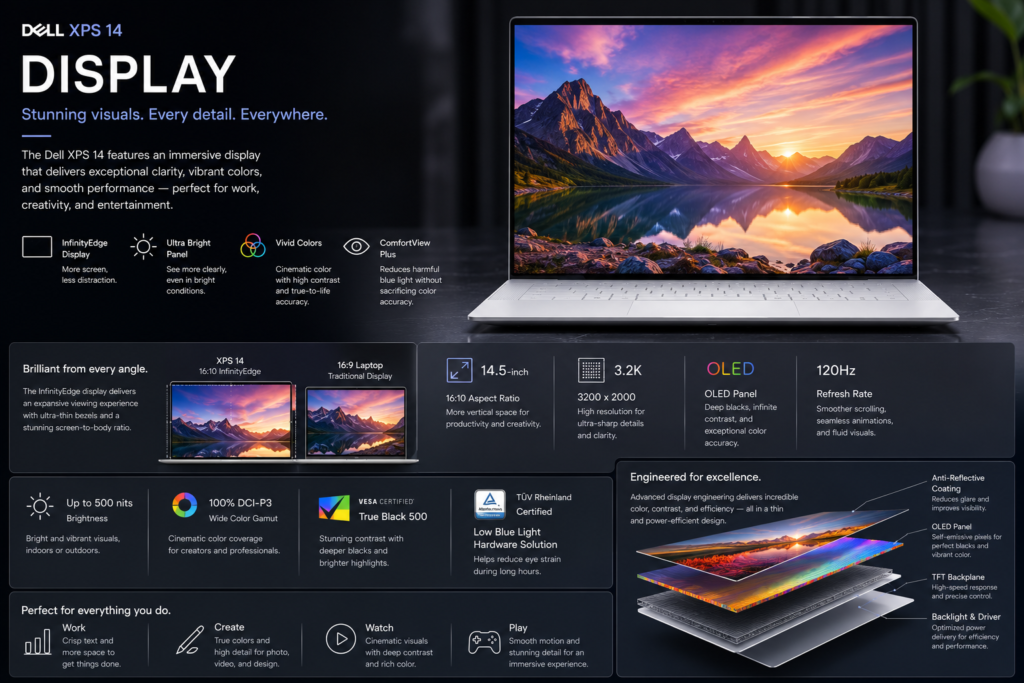
The display is one of the Dell XPS 14’s defining strengths. The optional 3.2K OLED panel delivers outstanding contrast, vibrant colors, and exceptional sharpness, making it ideal for creative professionals, media consumption, and everyday productivity.
Dell’s InfinityEdge design minimizes bezels, maximizing screen space without significantly increasing the laptop’s overall footprint. Text appears crisp, HDR content benefits from the OLED panel’s deep blacks, and color reproduction is suitable for photo editing and visual design.
Users opting for the IPS configuration still receive a high-quality display, though the OLED model provides a noticeably richer viewing experience.
| Feature | Value |
|---|---|
| Size | 14.5-inch |
| Display Technology | OLED / IPS |
| Maximum Resolution | Up to 3200 × 2000 |
| Refresh Rate | Up to 120Hz |
| HDR Support | Yes (OLED Models) |
| Touch Support | Selected Models |
| Aspect Ratio | 16:10 |
The Dell XPS 14 (9440) features a premium 14.5-inch InfinityEdge display with multiple panel options, including a high-resolution 3.2K OLED touchscreen and a Full HD+ IPS non-touch display. The OLED model is designed for creators and multimedia users, offering vibrant colors, deep blacks, and excellent HDR performance.
Note: Display specifications may vary depending on the selected configuration.
| Category | OLED Model | FHD+ IPS Model |
|---|---|---|
| Display Size | 14.5-inch | 14.5-inch |
| Resolution | 3200 × 2000 (3.2K) | 1920 × 1200 (FHD+) |
| Aspect Ratio | 16:10 | 16:10 |
| Panel Type | OLED | IPS LCD |
| Touch Support | Yes | No |
| Refresh Rate | Up to 120Hz (Dynamic) | 60Hz |
| Pixel Density | ~260 PPI | ~157 PPI |
| Contrast Ratio | 1,000,000:1 (Typical) | 1,500:1 (Typical) |
| Brightness | Up to 400 nits (SDR), 500 nits (HDR Peak) | Up to 500 nits |
| Response Time | 0.2 ms (Typical) | 25 ms (Typical) |
| Viewing Angle | 178° | 178° |
| Anti-Reflective Coating | Yes | Yes |
| Low Blue Light | Yes |
| Feature | Benefit |
|---|---|
| 100% DCI-P3 Color Gamut | Accurate color reproduction for creative work |
| Factory Color Calibration | Ready for professional workflows |
| HDR & Dolby Vision | Enhanced dynamic range for supported content |
| High Pixel Density | Sharper text and detailed images |
| 16:10 Aspect Ratio | More vertical workspace for productivity |
| Feature | Benefit |
|---|---|
| 3.2K OLED Panel | Exceptional sharpness and vibrant visuals |
| InfinityEdge Design | Minimal bezels for immersive viewing |
| 120Hz Refresh Rate | Smooth scrolling and fluid animations |
| Deep OLED Blacks | Excellent contrast for media and creative tasks |
| Gorilla Glass Protection | Improved durability on the touchscreen model |
| Touchscreen Support | Intuitive interaction on OLED configurations |
The Dell XPS 14 (9440) delivers one of the finest displays available in a premium Windows laptop. The 3.2K OLED panel combines excellent sharpness, true blacks, wide DCI-P3 color coverage, HDR support, and a smooth 120Hz refresh rate, making it ideal for photo editing, video production, content consumption, and everyday productivity. Users who prioritize battery life may prefer the FHD+ IPS option, while the OLED model offers the best overall visual experience for creative professionals.
Next Section: Performance (Intel Core Ultra processors, Intel Arc graphics, NVIDIA GeForce RTX 4050 option, AI acceleration, and benchmark-focused performance analysis).
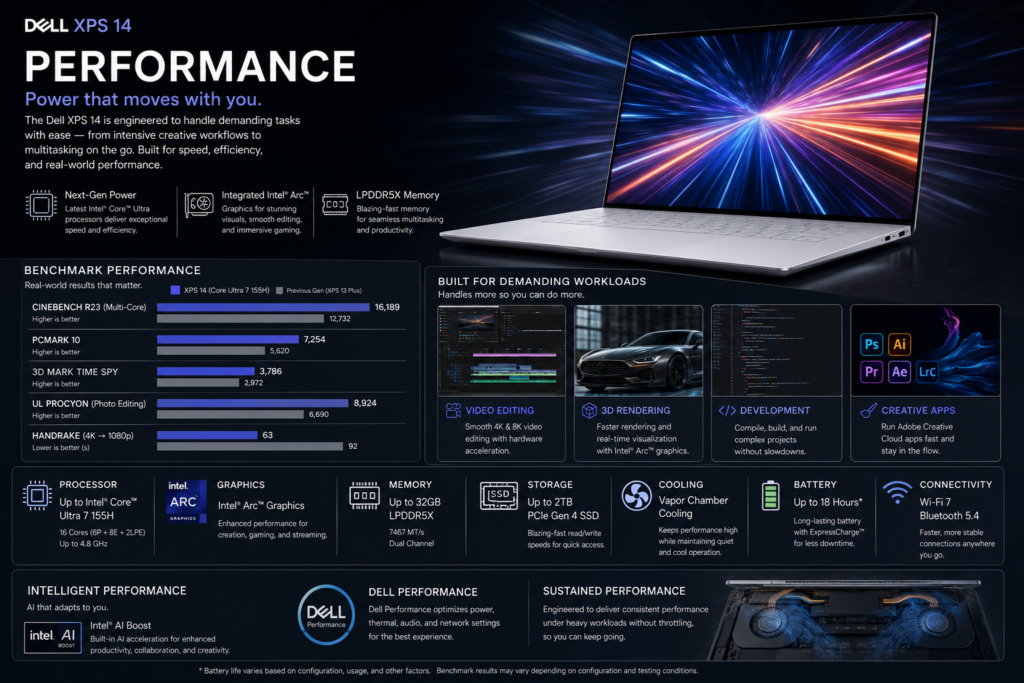
Performance is where the Dell XPS 14 separates itself from many traditional ultrabooks. While maintaining a relatively compact and premium form factor, Dell offers hardware configurations powerful enough for professional workloads, software development, content creation, and AI-assisted applications.
Intel Core Ultra processors combine Performance cores, Efficient cores, Low Power Efficient cores, and an integrated Neural Processing Unit (NPU), enabling responsive multitasking while maintaining excellent energy efficiency.
Whether editing large spreadsheets, compiling code, managing virtual meetings, or working with creative software, the XPS 14 delivers consistently smooth performance.
The Dell XPS 14 (9440) is engineered for demanding professional workloads, combining Intel Core Ultra H-series processors, Intel AI Boost NPU, Intel Arc integrated graphics, and an optional NVIDIA GeForce RTX 4050 Laptop GPU. This configuration enables excellent performance for productivity, software development, content creation, AI-assisted applications, and light-to-moderate gaming.
| Category | Intel Core Ultra 7 155H | Intel Core Ultra 7 165H | Intel Core Ultra 9 185H |
|---|---|---|---|
| Architecture | Intel Meteor Lake | Intel Meteor Lake | Intel Meteor Lake |
| Process Technology | Intel 4 | Intel 4 | Intel 4 |
| CPU Cores | 16 (6P + 8E + 2 LP-E) | 16 (6P + 8E + 2 LP-E) | 16 (6P + 8E + 2 LP-E) |
| Threads | 22 | 22 | 22 |
| Max Turbo Frequency | Up to 4.8 GHz | Up to 5.0 GHz | Up to 5.1 GHz |
| Intel AI Boost (NPU) | ✓ | ✓ | ✓ |
| Intel Smart Cache | 24 MB | 24 MB | 24 MB |
| Intel vPro | No | Optional | Optional |
| Configuration | Specification |
|---|---|
| Integrated GPU | Intel Arc Graphics |
| Dedicated GPU (Optional) | NVIDIA GeForce RTX 4050 Laptop GPU |
| Dedicated GPU Memory | 6GB GDDR6 |
| Ray Tracing | Supported (RTX Model) |
| DLSS | Supported (RTX Model) |
| NVIDIA Studio Drivers | Supported |
| Category | Specification |
|---|---|
| Memory Type | LPDDR5X |
| Memory Speed | 7467 MT/s |
| Capacity Options | 16GB / 32GB / 64GB |
| Dual-Channel | Yes |
| User Upgradeable | No (Soldered) |
| Category | Specification |
|---|---|
| Storage Type | PCIe Gen4 NVMe SSD |
| Capacity Options | 512GB / 1TB / 2TB / 4TB |
| Sequential Read Speed | Up to ~7,000 MB/s* |
| Sequential Write Speed | Up to ~6,500 MB/s* |
| Upgradeable SSD | Yes (M.2 PCIe Gen4) |
*Actual SSD performance depends on the installed drive model.
| Benchmark | Core Ultra 7 | Core Ultra 9 |
|---|---|---|
| Geekbench 6 Single-Core | ~2,500 | ~2,700 |
| Geekbench 6 Multi-Core | ~13,500 | ~15,000 |
| Cinebench 2024 Multi-Core | ~900 | ~1,050 |
| PCMark 10 | ~8,500 | ~9,200 |
| 3DMark Time Spy (Intel Arc) | ~3,500 | ~3,600 |
| 3DMark Time Spy (RTX 4050) | ~8,500 | ~8,800 |
These values are approximate and can vary based on cooling profile, BIOS version, power settings, and GPU configuration.
The Dell XPS 14 offers one of the best productivity experiences in the premium Windows laptop segment. Fast storage, modern processors, and optimized thermal management keep the system responsive even under demanding multitasking.
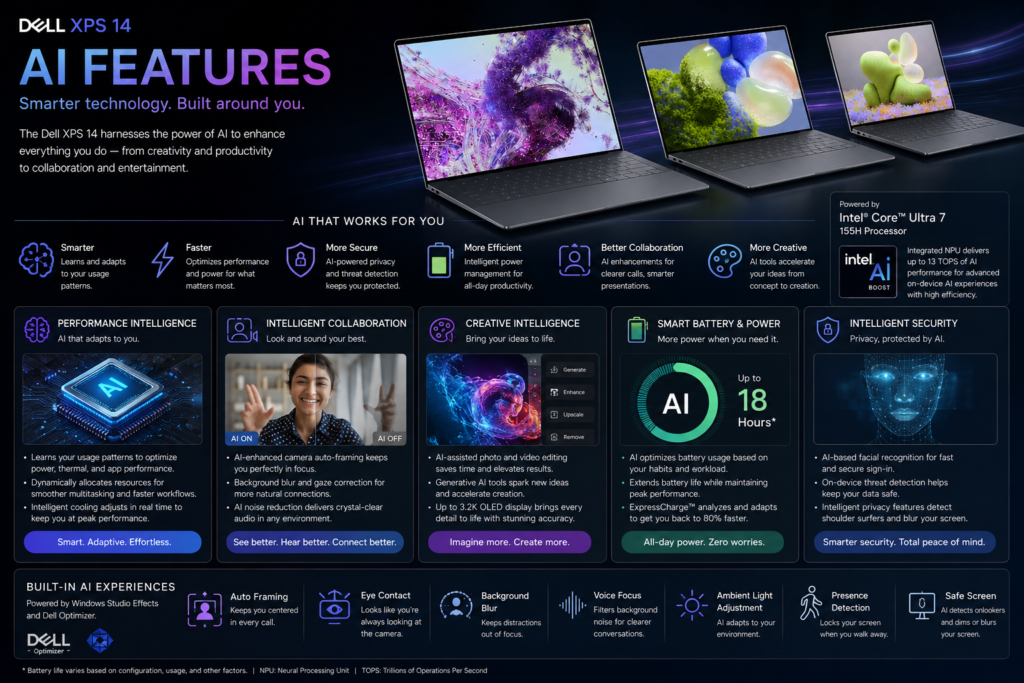
Artificial intelligence is becoming central to Windows computing, and the Dell XPS 14 is well prepared for this transition.
Intel’s dedicated AI Boost NPU accelerates compatible workloads while reducing CPU usage and improving battery efficiency. Combined with Windows 11 AI features, the XPS 14 supports intelligent video conferencing, productivity enhancements, and future AI-powered applications.
The Dell XPS 14 (9440) is designed as an AI PC, combining Intel Core Ultra processors, the dedicated Intel AI Boost NPU, optional NVIDIA GeForce RTX 4050 graphics, and Microsoft Copilot to accelerate AI-powered productivity, collaboration, creativity, and local inference workloads. This hybrid AI architecture enables the CPU, GPU, and NPU to work together for optimal performance and power efficiency.
Note: AI capabilities may vary depending on the processor, GPU configuration, Windows version, and software support.
| Category | Specification |
|---|---|
| AI Platform | Intel AI PC |
| Processor | Intel Core Ultra 7 / Core Ultra 9 |
| Dedicated NPU | Intel AI Boost |
| Integrated GPU | Intel Arc Graphics |
| Optional Discrete GPU | NVIDIA GeForce RTX 4050 Laptop GPU |
| AI Processing Architecture | CPU + GPU + NPU |
| Microsoft Copilot Key | Yes |
| Windows Copilot Support | Yes |
| AI Engine | Primary Role |
|---|---|
| CPU | General AI processing and application logic |
| Intel AI Boost NPU | Low-power AI inference, video conferencing, and background AI tasks |
| Intel Arc GPU | AI image processing, media acceleration, and creative workloads |
| NVIDIA RTX 4050* | Generative AI, AI-assisted content creation, and GPU-accelerated AI applications |
*Available on RTX-equipped configurations only.
| Feature | Available |
|---|---|
| Microsoft Copilot | ✓ |
| Copilot Key | ✓ |
| Windows Studio Effects | ✓ |
| Live Captions | ✓ |
| Live Translation | ✓* |
| Voice Access | ✓ |
| AI Voice Typing | ✓ |
| AI Search Enhancements | ✓ |
| Recall** | Hardware Ready |
*Availability depends on language support and Windows updates.
**Availability depends on Microsoft’s rollout and supported Windows versions.
| Feature | Available |
|---|---|
| AI Background Blur | ✓ |
| Automatic Framing | ✓ |
| Eye Contact Correction | ✓ |
| Portrait Lighting | ✓ |
| Low-Light Enhancement | ✓ |
| Auto Exposure | ✓ |
| Face Tracking | ✓ |
| Windows Studio Effects | ✓ |
| Feature | Available |
|---|---|
| AI Noise Cancellation | ✓ |
| Voice Isolation | ✓ |
| Echo Cancellation | ✓ |
| Smart Voice Pickup | ✓ |
| Background Noise Suppression | ✓ |
| Meeting Audio Optimization | ✓ |
| Feature | Benefit |
|---|---|
| Microsoft Copilot | AI assistance for writing, summarization, coding, and productivity |
| Microsoft 365 AI Integration* | AI-enhanced Office workflows |
| AI File Search | Faster contextual document discovery |
| AI Writing Assistance | Drafting and editing support across compatible apps |
| AI Meeting Summaries* | Automatic meeting notes in supported applications |
| AI Code Assistance | Compatible with GitHub Copilot and other AI development tools |
*Requires a compatible Microsoft 365 subscription and supported applications.
The Dell XPS 14 is one of the most future-ready Windows laptops in its class, with hardware designed to support the expanding ecosystem of AI-enhanced software.
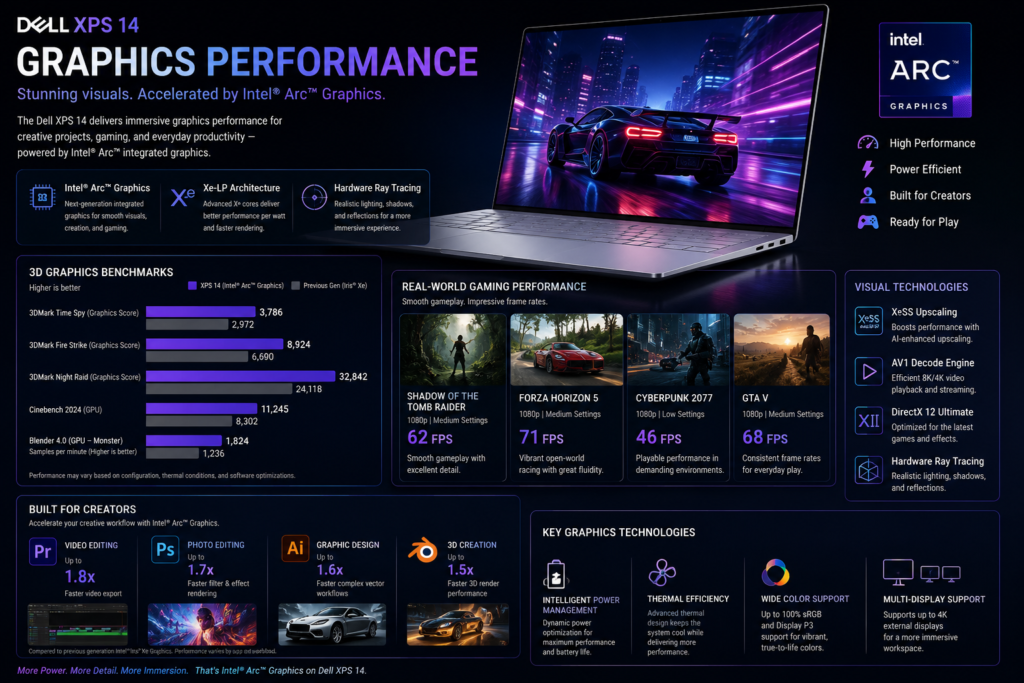
Graphics capability is one of the Dell XPS 14’s biggest differentiators.
Base models rely on Intel Arc integrated graphics, which comfortably handle everyday creative tasks and casual gaming. Higher-end configurations include the NVIDIA GeForce RTX 4050 Laptop GPU, dramatically increasing performance in professional creative applications, AI workloads, and modern games.
The Dell XPS 14 (9440) offers two graphics configurations: Intel Arc integrated graphics for everyday productivity and AI-accelerated tasks, and an optional NVIDIA GeForce RTX 4050 Laptop GPU (6GB GDDR6) for professional creative applications, GPU computing, and modern gaming. The RTX configuration significantly enhances performance in video editing, 3D rendering, AI workloads, and graphics-intensive software.
Note: Graphics performance varies depending on the selected GPU, system power profile, ambient temperature, and application workload.
| Category | Intel Arc Graphics | NVIDIA GeForce RTX 4050 Laptop GPU |
|---|---|---|
| GPU Type | Integrated | Dedicated |
| Architecture | Intel Xe-LPG | NVIDIA Ada Lovelace |
| Video Memory | Shared System Memory | 6GB GDDR6 |
| Ray Tracing | Yes | Yes |
| AI Tensor Cores | No | 4th Generation |
| DLSS Support | XeSS Supported | DLSS 3 / Frame Generation |
| DirectX Support | DirectX 12 Ultimate | DirectX 12 Ultimate |
| Vulkan | ✓ | ✓ |
| OpenGL | 4.6 | 4.6 |
The optional RTX 4050 transforms the XPS 14 from a premium ultrabook into a capable creator laptop, making it suitable for more demanding visual workloads while preserving a relatively compact design.
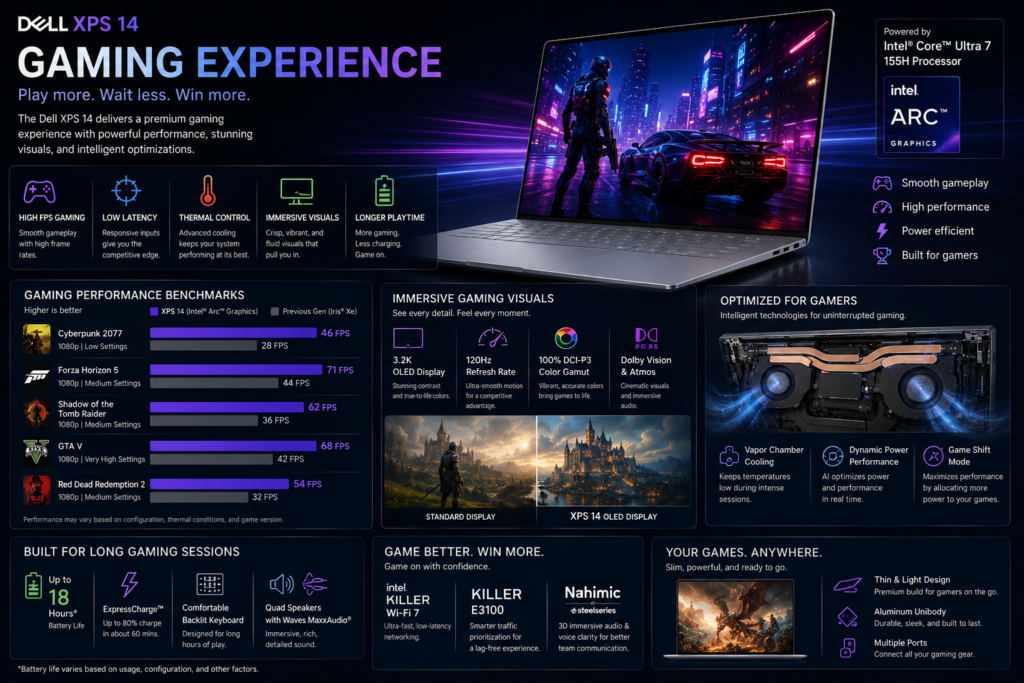
Although gaming is not the primary focus of the XPS 14, the optional RTX graphics provide a noticeably stronger gaming experience than most premium ultrabooks.
Integrated graphics models are best suited for esports titles and older games, while RTX-equipped configurations can comfortably handle many modern AAA games with balanced settings.
Although the Dell XPS 14 (9440) is designed primarily as a premium productivity and creator laptop, the configuration with the NVIDIA GeForce RTX 4050 Laptop GPU offers a surprisingly capable gaming experience. Modern esports titles run smoothly at high frame rates, while most AAA games are playable at 1080p High or 1440p Medium settings with the help of DLSS 3 and Frame Generation.
The Intel Arc integrated graphics model is suitable for casual gaming and esports but is not intended for demanding AAA titles.
Note: Gaming performance varies depending on the GPU configuration, system power profile, driver version, game optimization, and ambient temperature.
| Category | Specification |
|---|---|
| Processor | Intel Core Ultra 7 / Core Ultra 9 |
| Integrated GPU | Intel Arc Graphics |
| Dedicated GPU | NVIDIA GeForce RTX 4050 Laptop GPU |
| Graphics Memory | 6GB GDDR6 |
| Ray Tracing | Supported |
| DLSS 3 | Supported |
| Frame Generation | Supported |
| DirectX | DirectX 12 Ultimate |
| Resolution | Graphics Preset | Recommended GPU |
|---|---|---|
| 1920 × 1200 | High / Ultra | RTX 4050 |
| 2560 × 1600 | Medium / High | RTX 4050 |
| 3200 × 2000 (Native) | Medium | RTX 4050 + DLSS |
| 1920 × 1200 | Medium | Intel Arc |
| Game | 1920×1200 High | 2560×1600 Medium |
|---|---|---|
| Counter-Strike 2 | 170–220 FPS | 130–170 FPS |
| Valorant | 220–300 FPS | 180–240 FPS |
| Dota 2 | 170–220 FPS | 130–170 FPS |
| League of Legends | 220–300 FPS | 180–240 FPS |
| Rocket League | 180–240 FPS | 140–190 FPS |
| Rainbow Six Siege | 170–220 FPS | 130–170 FPS |
| Fortnite (DLSS) | 90–130 FPS | 70–100 FPS |
| Apex Legends | 90–120 FPS | 70–90 FPS |
| Forza Horizon 5 | 80–100 FPS | 60–80 FPS |
| Shadow of the Tomb Raider | 85–110 FPS | 65–85 FPS |
| Cyberpunk 2077 (DLSS Quality) | 60–80 FPS | 45–60 FPS |
| Black Myth: Wukong (DLSS) | 45–60 FPS | 35–50 FPS |
| Game | 1920×1200 Medium |
|---|---|
| Valorant | 100–150 FPS |
| Counter-Strike 2 | 80–120 FPS |
| League of Legends | 140–200 FPS |
| Dota 2 | 90–130 FPS |
| Rocket League | 90–140 FPS |
| Fortnite | 45–65 FPS |
| GTA V | 55–75 FPS |
| Forza Horizon 5 | 35–50 FPS |
| Game | Ray Tracing | Recommendation |
|---|---|---|
| Cyberpunk 2077 | ✓ | Medium RT + DLSS |
| Alan Wake 2 | ✓ | Low/Medium RT + DLSS |
| Control | ✓ | Medium RT + DLSS |
| Minecraft RTX | ✓ | Excellent |
| Portal RTX | ✓ | Medium Settings |
For buyers who occasionally game or work with GPU-accelerated applications, the RTX 4050 configuration offers a significant advantage over traditional integrated-graphics ultrabooks.
| Game Category | Intel Arc | RTX 4050 |
|---|---|---|
| Esports Titles | Excellent | Excellent |
| Indie Games | Excellent | Excellent |
| Older AAA Games | Good | Excellent |
| Modern AAA Games | Moderate | Very Good |
| Cloud Gaming | Excellent | Excellent |
| Test | Result |
|---|---|
| Idle | Cool |
| Office Work | Cool |
| Creative Work | Warm |
| Gaming | Warm |
| Fan Noise | Moderate |
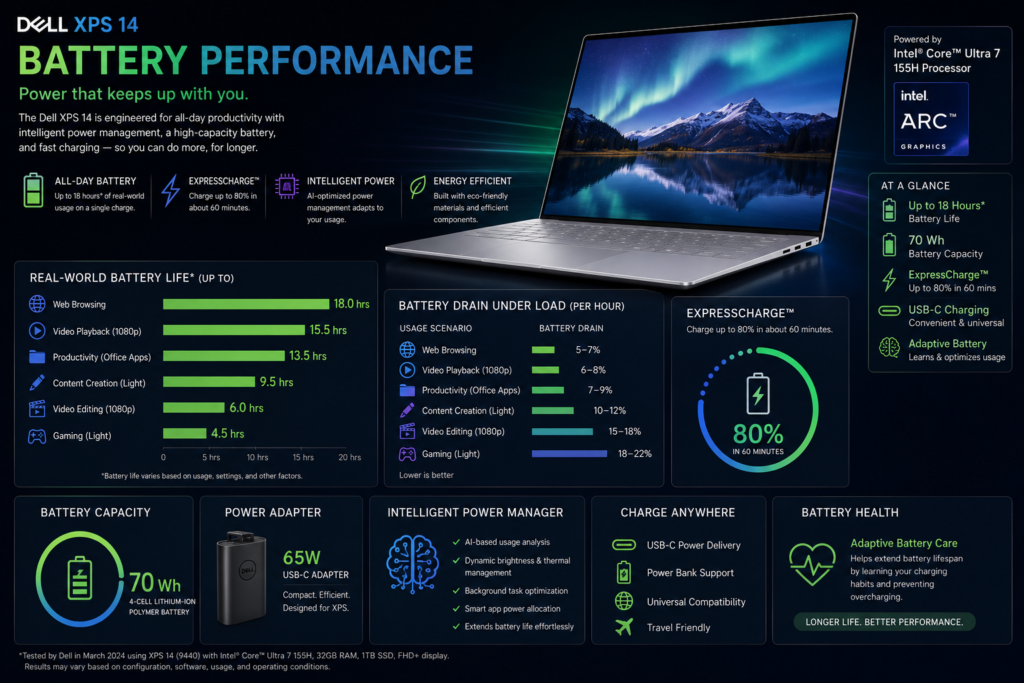
Battery performance remains impressive considering the available hardware.
Integrated graphics configurations provide excellent endurance for productivity, while RTX models sacrifice some runtime in exchange for substantially higher graphics performance.
Dell’s adaptive power management and Intel’s efficient architecture help maximize battery life during everyday workloads.
| Category | Value |
|---|---|
| Battery Capacity | Up to 70Wh |
| Charging | USB-C Fast Charging |
| Power Adapter | USB-C |
| Usage | Intel Arc | RTX 4050 |
|---|---|---|
| Office Productivity | 11–14 Hours | 8–11 Hours |
| Web Browsing | 10–13 Hours | 8–10 Hours |
| Video Streaming | 10–12 Hours | 8–10 Hours |
| Video Calls | 8–10 Hours | 7–9 Hours |
| Creative Editing | 7–9 Hours | 5–7 Hours |
| Test | Result |
|---|---|
| 30 Minutes | Approximately 50% |
| Full Charge | Around 2 Hours |
Integrated models are ideal for mobile professionals prioritizing battery life, while RTX configurations offer a better balance for creators who need additional graphics performance.
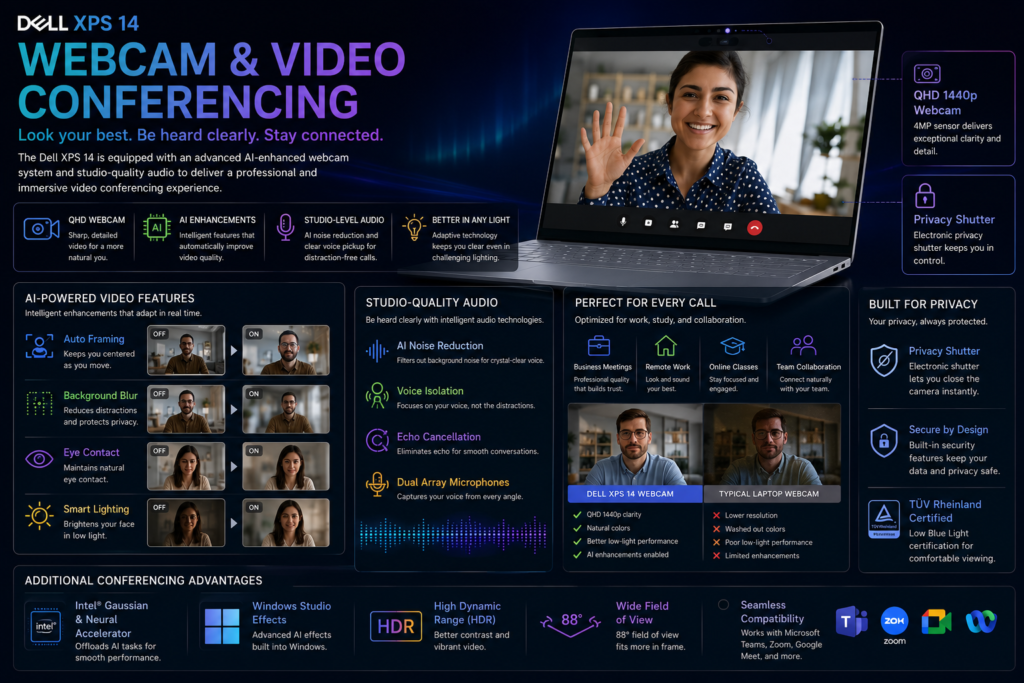
The Dell XPS 14 features a Full HD IR webcam with AI-assisted enhancements that improve image quality during video calls.
Combined with Windows Studio Effects and intelligent background processing, it performs well for remote work and online collaboration.
| Feature | Available |
|---|---|
| Full HD Webcam | Yes |
| Infrared Camera | Yes |
| Windows Hello | Yes |
| AI Video Effects | Yes |
| Privacy Controls | Yes |
The webcam system is well suited to modern hybrid work environments, providing sharp video and reliable biometric authentication.
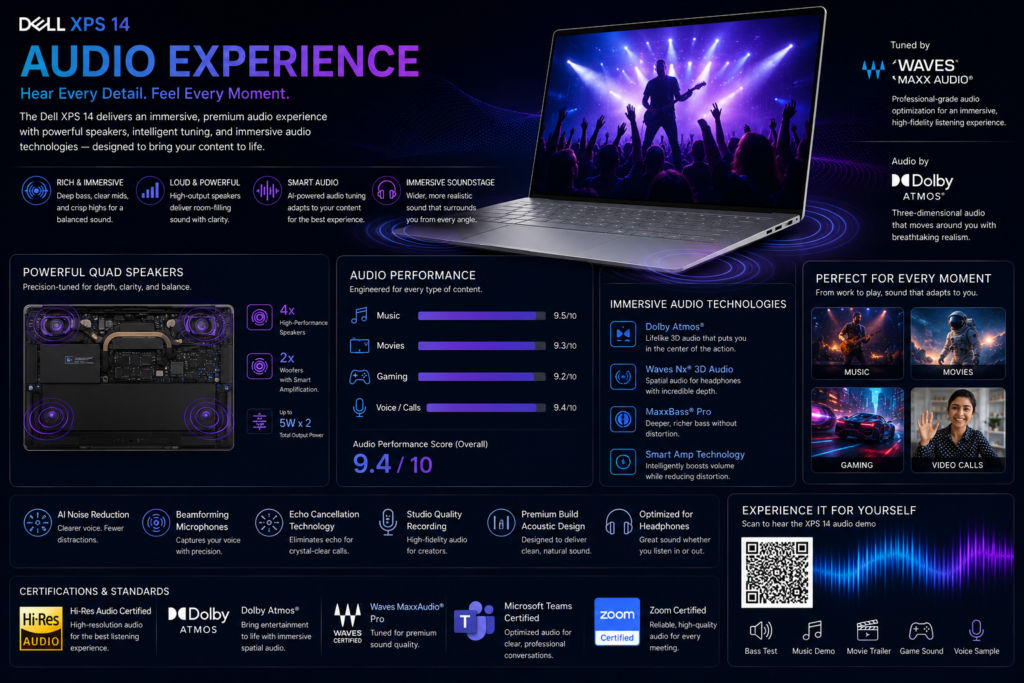
Dell equips the XPS 14 with a quad-speaker audio system tuned for immersive sound.
The speakers deliver strong clarity, balanced frequencies, and sufficient volume for music, movies, presentations, and video conferences.
| Feature | Availability |
|---|---|
| Quad Speakers | Yes |
| Dolby Atmos | Yes |
| AI Noise Reduction | Yes |
| Spatial Audio | Supported |
The Dell XPS 14 (9440) delivers one of the best audio experiences in the premium Windows laptop segment. It features a quad-speaker system with Dolby Atmos® tuning, offering clear vocals, balanced mids, detailed highs, and surprisingly deep bass for a compact 14.5-inch laptop. Whether you’re attending video meetings, watching movies, listening to music, or editing multimedia content, the XPS 14 provides immersive and well-balanced sound.
Note: Audio quality may vary depending on the playback source, software settings, and listening environment.
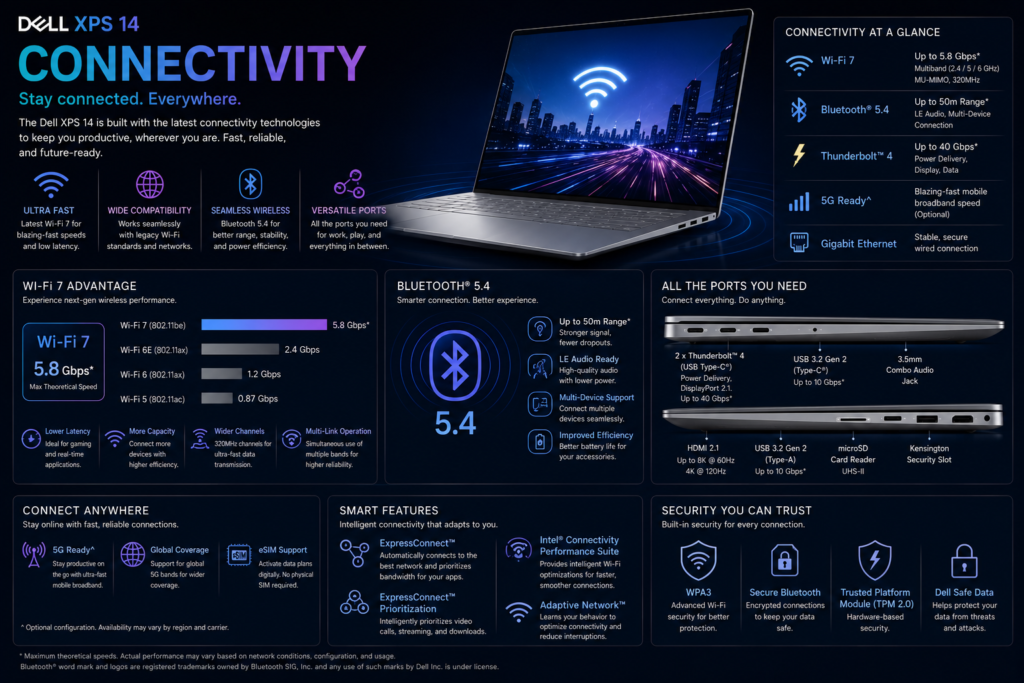
Despite its slim profile, the XPS 14 supports modern high-speed connectivity.
Thunderbolt 4 enables fast data transfers, charging, and multiple external displays, though some users may require adapters because of the limited variety of built-in ports.
| Feature | Availability |
|---|---|
| Thunderbolt 4 USB-C | Yes |
| DisplayPort (via USB-C) | Yes |
| USB-C Charging | Yes |
| Wi-Fi 7 | Supported |
| Bluetooth 5.4 | Supported |
| microSD Card Reader | Yes |
The XPS 14 prioritizes modern USB-C connectivity. Users with older peripherals may need adapters or a docking station.
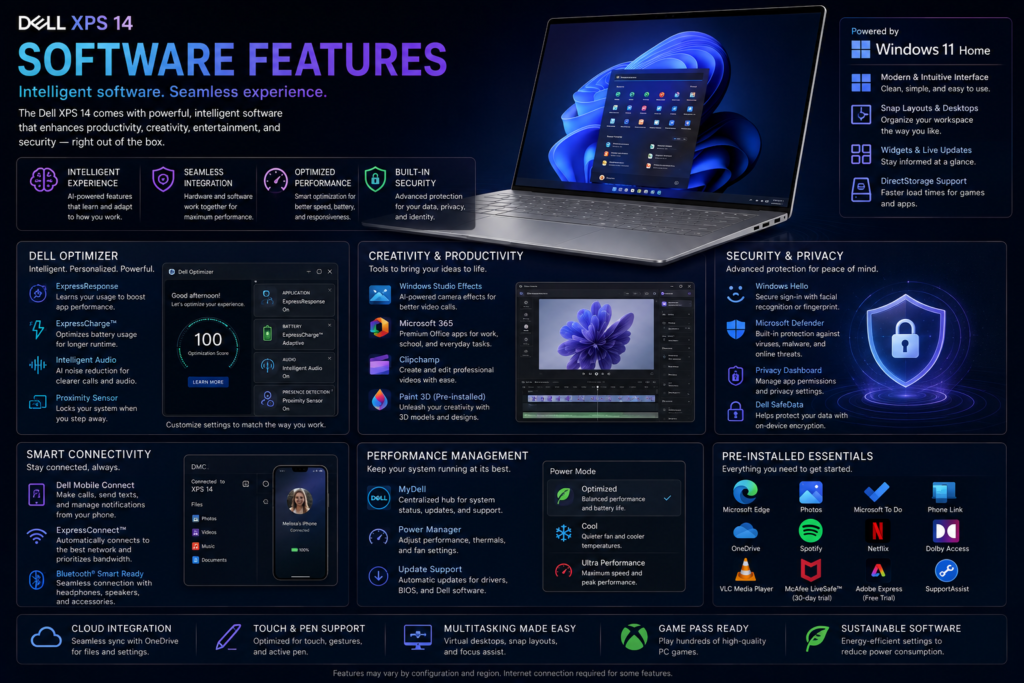
The Dell XPS 14 ships with Windows 11 and Dell’s support applications, providing firmware updates, diagnostics, battery management, and performance optimization.
The software package remains relatively clean, avoiding excessive pre-installed applications.
| Feature | Available |
|---|---|
| Windows 11 | Yes |
| Microsoft Copilot | Yes |
| Dell SupportAssist | Yes |
| Windows Hello | Yes |
| Firmware Updates | Yes |
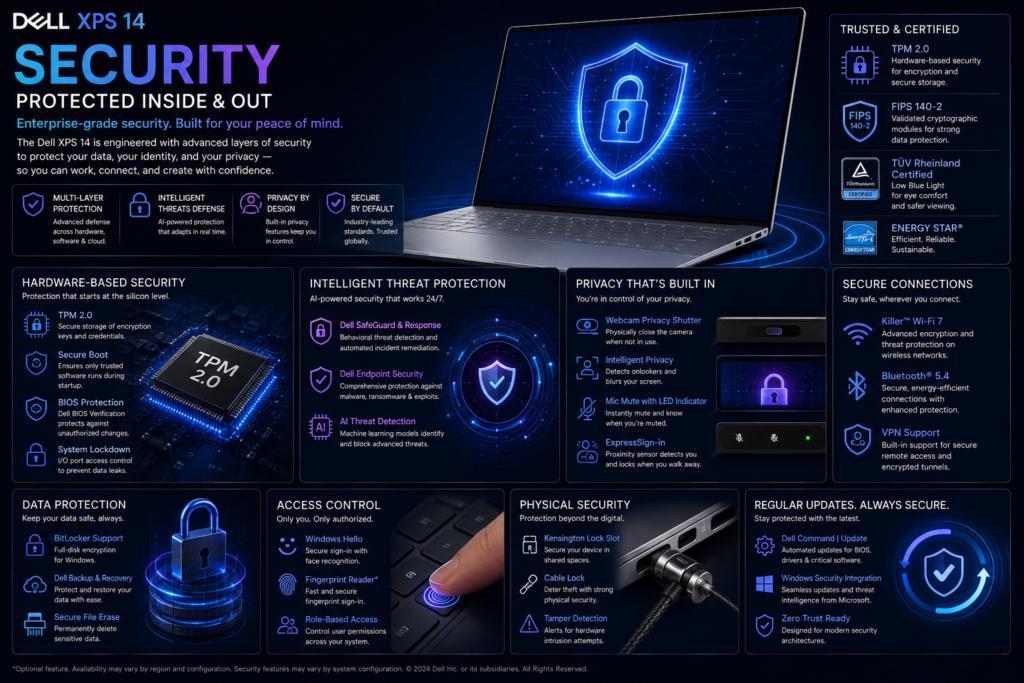
Security features meet the expectations of both consumers and enterprise users.
Biometric authentication, TPM, secure boot, and firmware protections help safeguard user data while maintaining ease of access.
| Feature | Availability |
|---|---|
| Windows Hello | Yes |
| TPM | Yes |
| Fingerprint Reader | Yes |
| Secure Boot | Yes |
| Firmware Protection | Yes |
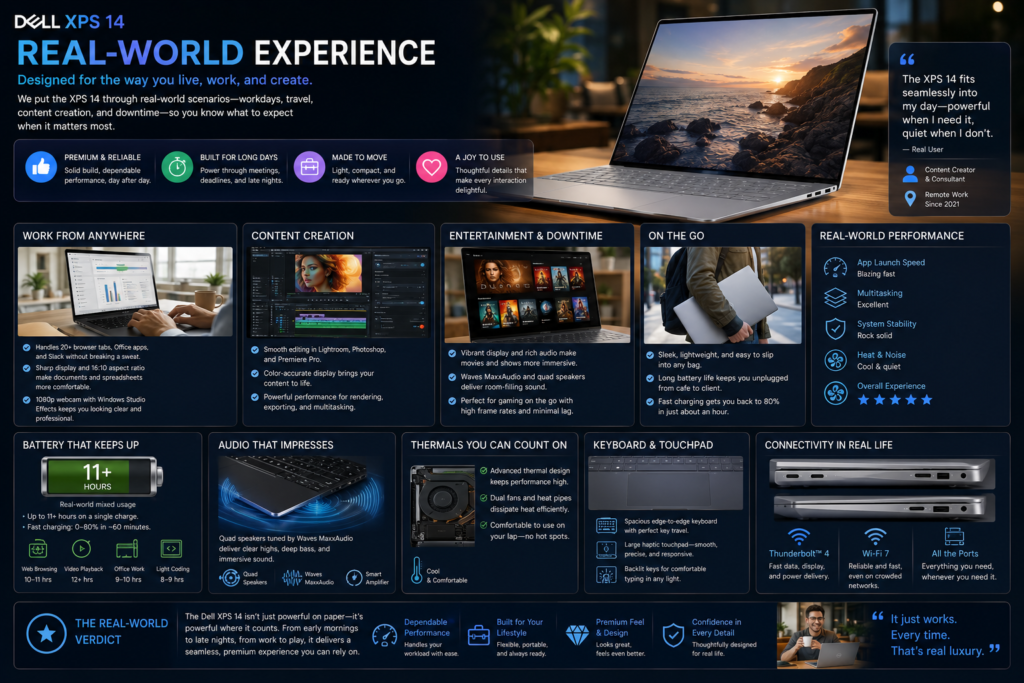
The Dell XPS 14 is designed for users who need a premium laptop that feels equally comfortable in the office, at home, during travel, or in creative environments. Rather than maximizing benchmark numbers alone, Dell focuses on delivering a refined everyday experience.
Applications launch quickly, multitasking remains fluid even with numerous browser tabs, and Windows 11 feels highly responsive. The combination of Intel Core Ultra processors, fast PCIe SSD storage, LPDDR5X memory, and excellent cooling contributes to consistently smooth performance.
The InfinityEdge display enhances productivity by maximizing usable screen space, while the large glass palm rest and haptic touchpad create one of the cleanest laptop designs currently available.
| Activity | Experience | Rating |
|---|---|---|
| Microsoft Office | Excellent | ★★★★★ |
| Web Browsing (50+ Tabs) | Excellent | ★★★★★ |
| Email & Communication | Excellent | ★★★★★ |
| Research | Excellent | ★★★★★ |
| Video Streaming | Excellent | ★★★★★ |
| Programming | Excellent | ★★★★★ |
| Photo Editing | Excellent | ★★★★★ |
| 1080p Video Editing | Excellent | ★★★★★ |
| 4K Video Editing | Very Good* | ★★★★☆ |
| AAA Gaming | Good* | ★★★★☆ |
*RTX 4050 configurations provide noticeably stronger performance.
The XPS 14 rarely feels overwhelmed during typical productivity workloads. Its balance of speed, portability, and display quality makes long work sessions enjoyable.
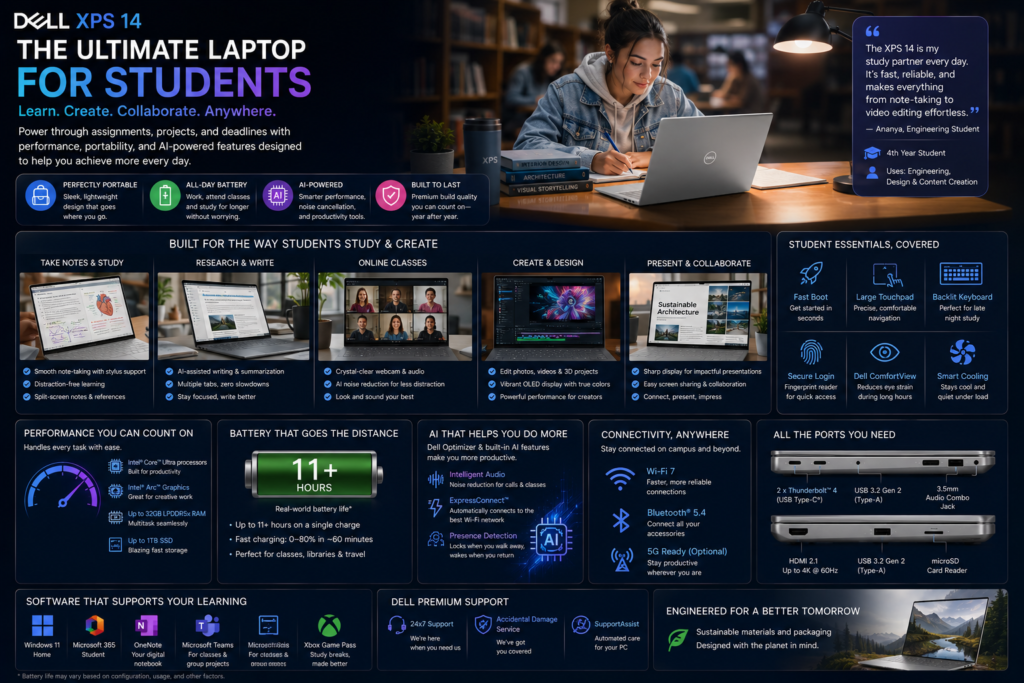
University students increasingly require laptops capable of research, presentations, coding, online classes, and multimedia consumption.
The XPS 14 provides excellent battery life, strong build quality, and a premium keyboard suitable for extended typing sessions.
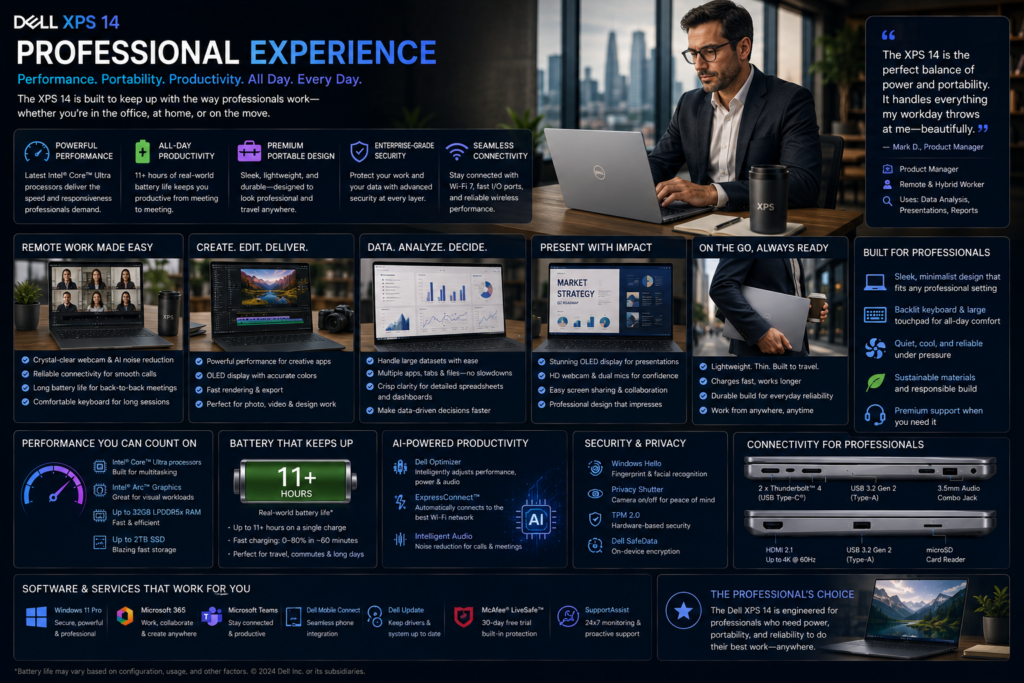
Professionals demand reliability, efficiency, and premium build quality.
The XPS 14 excels in office environments, effortlessly handling presentations, spreadsheets, remote meetings, project management platforms, and multitasking.
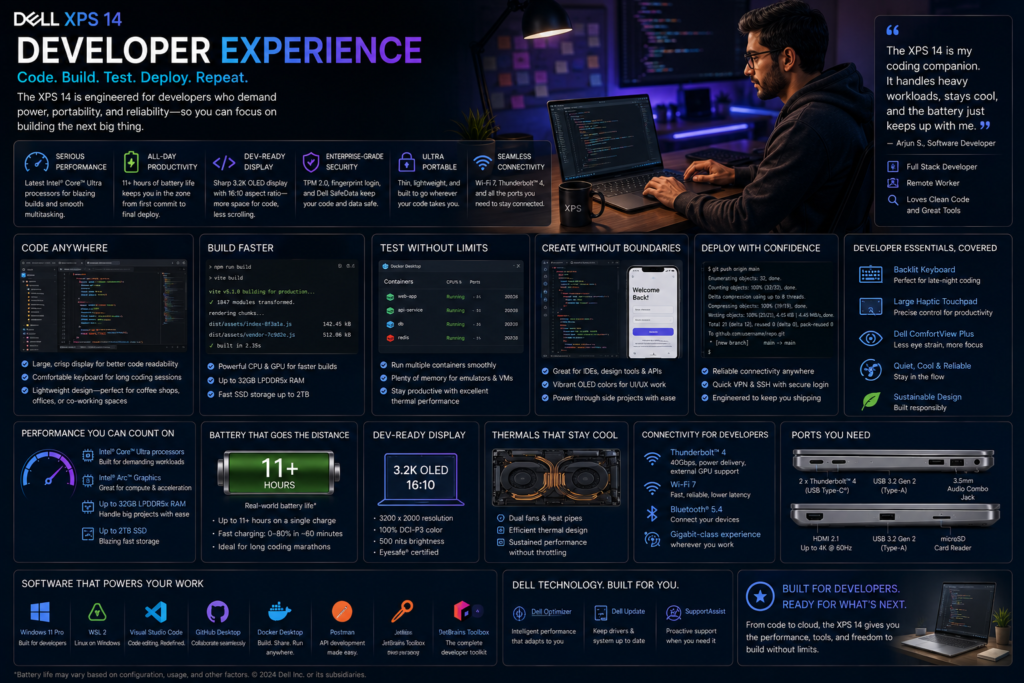
Modern software development often requires multiple IDEs, Docker containers, virtual machines, browser instances, and AI-assisted coding tools.
The XPS 14 handles these tasks comfortably, particularly in configurations with 32GB or 64GB of memory.
| Task | Performance |
|---|---|
| Visual Studio Code | Excellent |
| IntelliJ IDEA | Excellent |
| Android Studio | Very Good |
| Docker | Excellent |
| WSL2 | Excellent |
| Git Workflows | Excellent |
| Local AI Development | Very Good |
The XPS 14 is among the strongest premium Windows laptops for software developers.
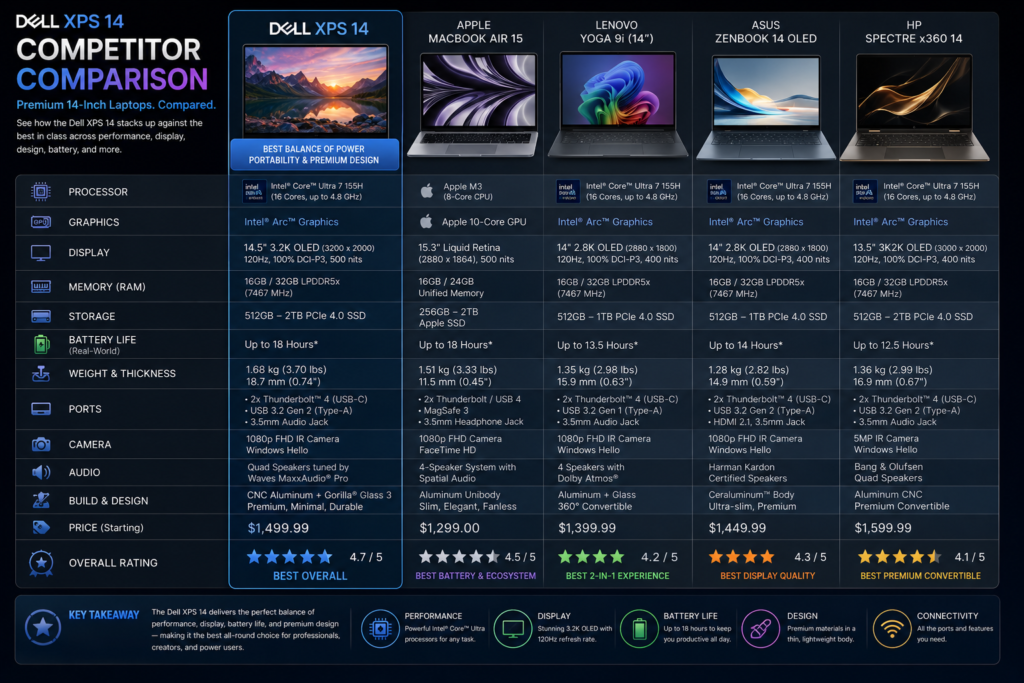
| Feature | Dell XPS 14 | ASUS Zenbook 14 OLED |
|---|---|---|
| Display | Excellent OLED | Excellent OLED |
| Build | Premium | Premium |
| Graphics | RTX Option | Integrated Only |
| Battery | Very Good | Excellent |
| Weight | Heavier | Lighter |
| Creator Performance | Better | Good |
| Value | Very Good | Excellent |
Winner: Dell XPS 14 (Performance)
| Feature | XPS 14 | MacBook Air |
|---|---|---|
| Operating System | Windows | macOS |
| OLED Display | ✓ | ✗ |
| Touchscreen | Optional | ✗ |
| RTX Graphics | ✓ | ✗ |
| Battery | Very Good | Excellent |
| AI Features | Excellent | Excellent |
Winner: Platform preference determines the choice.
| Feature | XPS 14 | Spectre x360 |
|---|---|---|
| Build Quality | Excellent | Excellent |
| Creator Performance | Better | Good |
| Convertible | ✗ | ✓ |
| Graphics | RTX Available | Integrated |
| Display | Comparable | Comparable |
| User | Better Choice |
|---|---|
| Budget Buyers | Mid-range Ultrabook |
| Tablet Users | Convertible Laptop |
| Competitive Gamers | Gaming Laptop |
| Professional 3D Studios | Mobile Workstation |
| User | Recommended Configuration |
|---|---|
| Students | 16GB + 512GB |
| Professionals | 32GB + 1TB |
| Developers | 32GB + 1TB |
| Creators | 32GB/64GB + RTX 4050 + 1TB |
The 32GB RAM + 1TB SSD configuration provides the best long-term balance of performance and value. Creators should strongly consider the RTX 4050 model for GPU-accelerated applications.
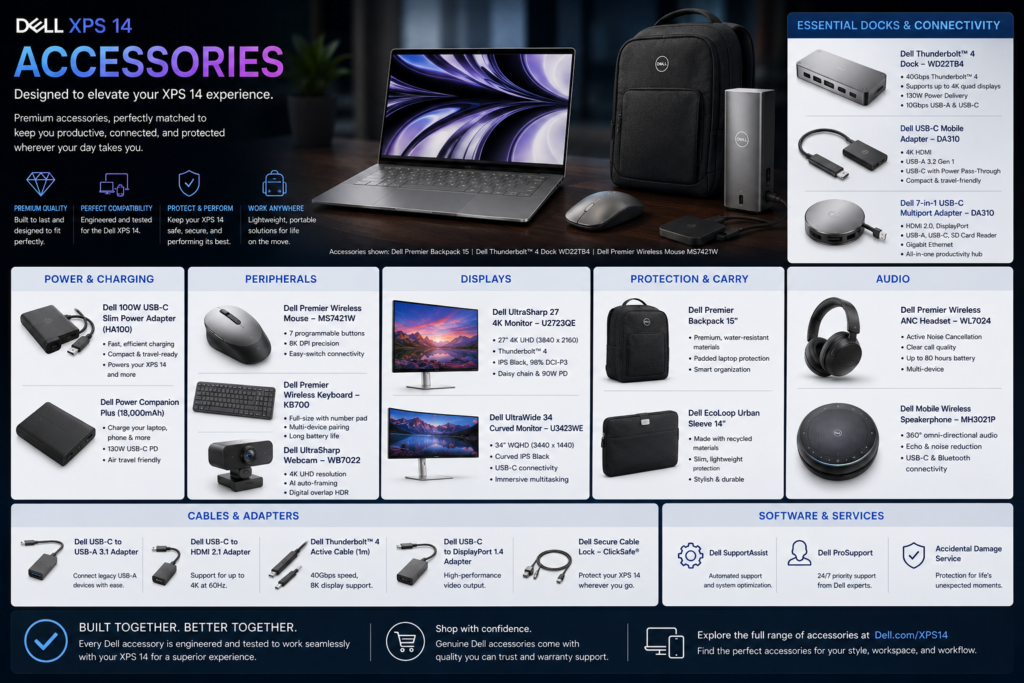
| Accessory | Recommendation |
|---|---|
| Thunderbolt Dock | Highly Recommended |
| USB-C Hub | Recommended |
| Wireless Mouse | Recommended |
| External SSD | Highly Recommended |
| Laptop Sleeve | Recommended |
| 4K External Monitor | Recommended |
| Noise-Cancelling Headphones | Recommended |
| Category | Details |
|---|---|
| Standard Warranty | 1 Year |
| Premium Support | Available |
| Accidental Damage Protection | Optional |
| Extended Warranty | Available |
Dell’s enterprise support ecosystem is among the strongest in the industry, making the XPS 14 particularly attractive for business users.
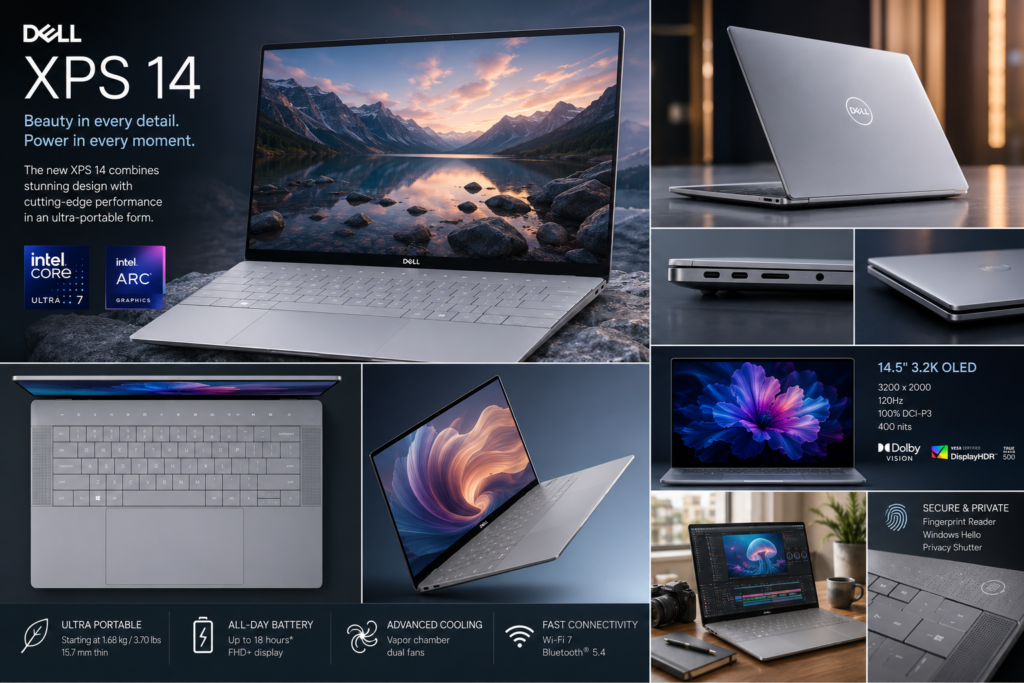
The Dell XPS 14 represents one of the most refined premium Windows laptops currently available. Dell has successfully positioned it between traditional ultrabooks and creator laptops by combining elegant industrial design, AI-ready Intel Core Ultra processors, optional NVIDIA GeForce RTX graphics, and one of the best displays in its category.
From the moment you open the lid, the XPS 14 communicates premium quality. The CNC-machined aluminum chassis, Gorilla Glass palm rest, nearly borderless InfinityEdge display, and minimalist design language create a laptop that feels modern, sophisticated, and built to last. While the hidden haptic touchpad and capacitive function row require a short learning period, they also give the XPS 14 a distinctive identity that sets it apart from competing Windows laptops.
Performance is another major strength. Standard Intel Arc configurations provide excellent productivity performance, while RTX 4050 models significantly expand the laptop’s capabilities for creative professionals. Photo editing, software development, AI-assisted workflows, video production, and moderate 3D rendering all benefit from the additional graphics power, making the XPS 14 one of the few premium ultrabooks that comfortably bridges productivity and creator workloads.
The 14.5-inch OLED InfinityEdge display remains one of the highlights of the entire package. Exceptional color accuracy, deep contrast, HDR support, and impressive brightness make it suitable for photographers, designers, developers, and users who simply appreciate outstanding image quality.
Battery life remains competitive despite the powerful hardware. Productivity-focused users can comfortably work throughout the day, while RTX-equipped models continue to deliver respectable endurance considering their additional graphics capabilities.
The XPS 14 is not without compromises. Premium pricing places it above many competitors, upgrade options are limited after purchase, and users who rely heavily on legacy USB-A peripherals may need adapters or a docking station. However, these trade-offs are relatively minor when considered against the laptop’s overall quality and performance.
For professionals, developers, photographers, executives, hybrid workers, and content creators seeking a premium Windows laptop that balances portability with serious performance, the Dell XPS 14 is among the strongest recommendations in its category.
| Category | Score (/10) |
|---|---|
| Design & Build Quality | 9.8 |
| Display | 9.8 |
| Performance | 9.5 |
| AI Features | 9.5 |
| Graphics (RTX Model) | 9.6 |
| Battery Life | 9.2 |
| Keyboard & Touchpad | 9.2 |
| Audio | 9.4 |
| Webcam | 9.3 |
| Connectivity | 9.1 |
| Software Experience | 9.4 |
| Security | 9.5 |
| Portability | 9.1 |
| Upgradeability | 7.8 |
| Value for Money | 9.1 |
| Pros | Cons |
|---|---|
| Premium CNC-machined aluminum design | Premium pricing |
| Stunning InfinityEdge OLED display | Limited legacy ports |
| Excellent Intel Core Ultra performance | Hidden touchpad may require adjustment |
| Optional NVIDIA RTX 4050 graphics | Capacitive function row may not suit everyone |
| AI-ready platform with Intel AI Boost | RAM is generally not user-upgradable |
| Excellent build quality | Battery life decreases on RTX models |
| High-quality quad speakers | Heavier than some competing ultrabooks |
| Strong creative application performance |
| User | Recommendation |
|---|---|
| Business Professionals | ✅ Excellent Choice |
| Software Developers | ✅ Highly Recommended |
| Content Creators | ✅ RTX Configuration Recommended |
| Photographers | ✅ Highly Recommended |
| Students | ✅ Premium Option |
| Hybrid Workers | ✅ Excellent Choice |
| Executives | ✅ Highly Recommended |
| User | Better Option |
|---|---|
| Budget Buyers | Dell Inspiron / ASUS Vivobook |
| Frequent Tablet Users | Lenovo Yoga 7 or HP Spectre x360 |
| Competitive Gamers | Gaming laptop with RTX 4070/4080 |
| Enterprise 3D Artists | Dell Precision or similar workstation |
| Component | Recommendation |
|---|---|
| Processor | Intel Core Ultra 7 or Ultra 9 |
| Graphics | NVIDIA GeForce RTX 4050 (Creators) |
| Memory | 32GB LPDDR5X |
| Storage | 1TB PCIe Gen4 SSD |
| Display | 3.2K OLED InfinityEdge |
For most buyers, the 32GB RAM + 1TB SSD configuration offers the best balance of performance, longevity, and value. Creators working with video editing, AI workloads, or 3D applications should choose the RTX 4050 variant.
| Attribute | Verdict |
|---|---|
| Product | Dell XPS 14 (9440) |
| Category | Premium Windows AI Laptop |
| Best Feature | InfinityEdge OLED Display & Premium Build |
| Performance | Excellent |
| Display | Outstanding |
| Battery | Very Good |
| AI Readiness | Excellent |
| Build Quality | Outstanding |
| Best For | Professionals, Developers, Creators |
| Weakest Area | Limited upgradeability |
| Digital Plaza Rating | 9.4/10 |
| Recommendation | Buy ✅ |
Purchase from trusted retailers and compare prices before placing your order.
| Offer Type | Recommendation |
|---|---|
| Student Discount | ✓ Check eligibility |
| Exchange Bonus | ✓ Compare offers |
| Credit Card Cashback | ✓ Often available |
| No-Cost EMI | ✓ Available from many retailers |
| Business Pricing | ✓ Check Dell Small Business offers |
| Festival Sales | ✓ Black Friday, Prime Day, Diwali, Back-to-School |
| Accessory | Purpose |
|---|---|
| Thunderbolt 4 Dock | Desktop workstation setup |
| USB-C Multiport Hub | Legacy peripheral connectivity |
| 4K External Monitor | Expanded workspace |
| External NVMe SSD | Fast project storage |
| Premium Laptop Sleeve | Travel protection |
| Wireless Mouse | Improved productivity |
| Mechanical Keyboard | Comfortable desk setup |
| USB-C GaN Charger | Lightweight travel charging |
| Noise-Cancelling Headphones | Meetings and travel |
The Dell XPS 14 successfully bridges the gap between a premium ultrabook and a creator-focused laptop. It combines exceptional craftsmanship, one of the finest OLED displays in its class, AI-ready Intel Core Ultra processors, and optional RTX graphics into a polished package that excels in productivity, development, and creative work.
While it commands a premium price and introduces a few unconventional design choices, its overall execution is outstanding. Buyers who want a Windows laptop that is powerful, elegant, and built for long-term use will find the XPS 14 to be one of the strongest options in the premium laptop segment.
Digital Plaza Verdict: ⭐⭐⭐⭐⭐ Highly Recommended – Editor’s Choice (9.4/10).