LG Electronics
Thank you for reading this post, don't forget to subscribe!Model: LG UltraGear 32GS95UE-B
Product: Dual-Mode OLED Gaming Monitor
Series: UltraGear
Model Year: 2024 / Y24
Category: 4K OLED Gaming Monitor
Official model: 32GS95UE-B.ATR for the India support listing
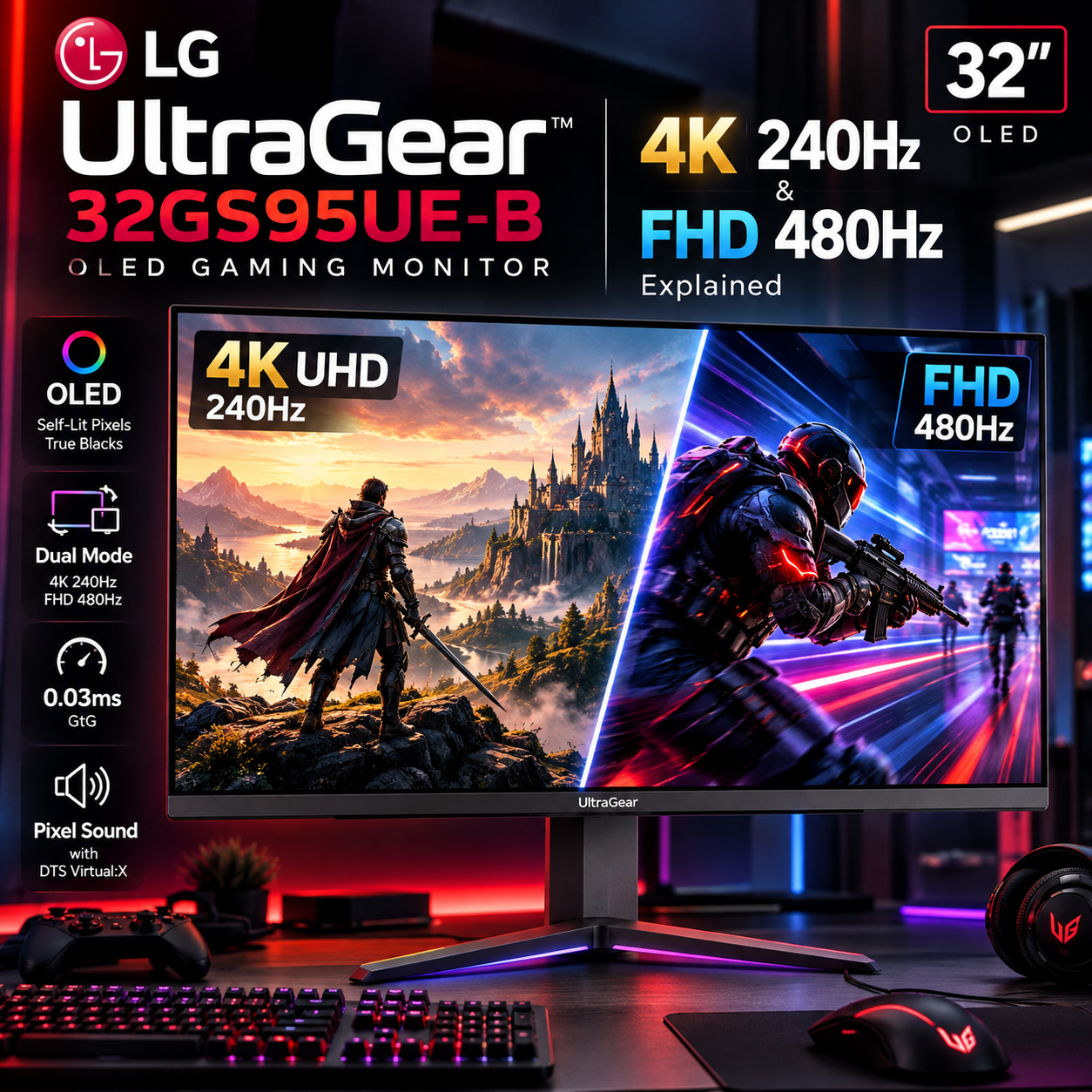
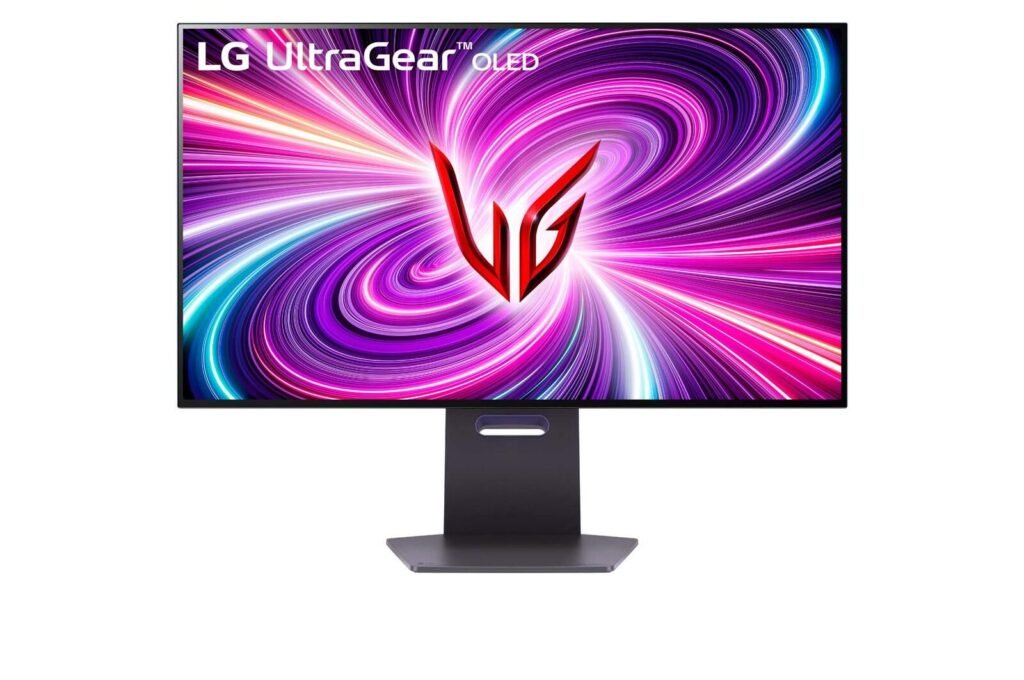
The LG UltraGear 79.75 cm (31.4-inch) Dual-Mode OLED Gaming Monitor, 4K UHD, Pixel Sound – 32GS95UE-B is built around an unusually flexible display architecture.
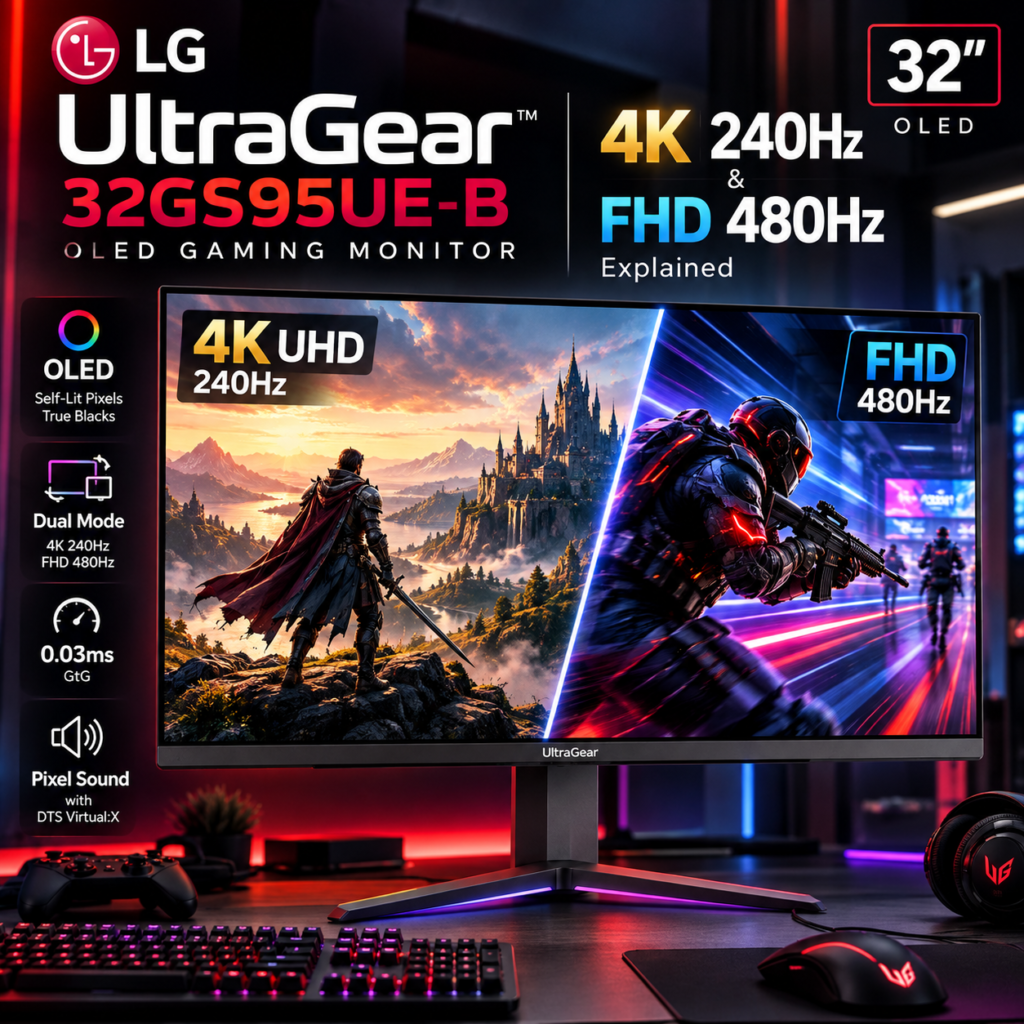
Rather than forcing the user to choose between high resolution and extreme refresh rate, LG gives the monitor two operating modes:
4K UHD at 240Hz
or
Full HD at 480Hz
That makes the 32GS95UE-B fundamentally different from a conventional 4K 240Hz gaming monitor. Its defining technology is not simply OLED, 4K or 240Hz individually; it is the ability to change the display’s resolution-and-refresh-rate configuration according to the type of game being played.
LG’s India specification identifies a 79.75 cm (31.4-inch) OLED panel, 3,840 × 2,160 resolution, 16:9 aspect ratio, 240Hz maximum refresh rate, 0.03ms GtG response time, DCI-P3 98.5% color gamut, DisplayHDR True Black 400, and the Dual-Mode 4K 240Hz ↔ FHD 480Hz capability.
1. The Core Idea: One Monitor, Two Gaming Modes
The most important technology in the 32GS95UE-B is Dual-Mode.
In its high-resolution configuration:
3,840 × 2,160 → 240Hz
In its competitive-gaming configuration:
1,920 × 1,080 → 480Hz
The two modes serve different objectives.
Mode 1 – 4K 240Hz
Prioritizes:
- Resolution
- Fine detail
- Image quality
- Texture clarity
- Cinematic gaming
- High-end single-player gaming
Mode 2 – FHD 480Hz
Prioritizes:
- Refresh rate
- Motion fluidity
- Extremely high frame rates
- Competitive responsiveness
- Esports-style gaming
The important point is that 480Hz does not make the monitor a 480Hz 4K display.
The 480Hz mode reduces the rendering resolution to Full HD so that the system can target substantially higher frame rates.
2. Why Dual-Mode Is Technically Important
Gaming monitors traditionally make a trade-off between:
Resolution
and
Refresh rate
Higher resolution means more pixels must be rendered.
Higher refresh rate means more frames must be delivered every second.
The LG architecture allows the user to move the balance.
High-resolution scenario
4K
→ approximately 8.29 million pixels per frame
→ up to 240 frames per second
High-refresh scenario
FHD
→ approximately 2.07 million pixels per frame
→ up to 480 frames per second
This creates an enormous difference in rendering workload.
4K contains exactly four times as many pixels as Full HD.
Therefore, moving from 4K to FHD dramatically reduces the number of pixels that the GPU must render for every frame.
That makes the 480Hz mode technically practical for competitive gaming.
3. 4K 240Hz: The High-Fidelity Mode
The first operating mode is designed for gamers who want both high resolution and high refresh rate.
The panel’s native resolution is:
3,840 × 2,160
That produces:
8,294,400 pixels
per frame.
At 240Hz, the display is capable of refreshing that image up to 240 times per second.
Conceptually:
8.29 million pixels × 240 refreshes
creates an enormous display workload.
The actual rendering workload depends on the game’s engine, graphics settings, GPU architecture, shaders, ray tracing and other factors, but the fundamental point remains:
4K 240Hz requires a powerful gaming PC to exploit fully.
LG states that achieving up to 240Hz requires a graphics card supporting DisplayPort 1.4 or HDMI 2.1, with actual performance depending on system configuration
4. Why 480Hz Is Different
At 480Hz, the refresh interval is approximately:
2.08 milliseconds
per refresh.
For comparison:
| Refresh Rate | Approx. Refresh Interval |
|---|---|
| 60Hz | 16.67ms |
| 120Hz | 8.33ms |
| 144Hz | 6.94ms |
| 240Hz | 4.17ms |
| 360Hz | 2.78ms |
| 480Hz | 2.08ms |
The difference between 240Hz and 480Hz isn’t as dramatic as moving from 60Hz to 120Hz, but at the high end of gaming, the additional temporal resolution can matter.
This is particularly relevant when:
- Tracking rapidly moving targets
- Making rapid mouse movements
- Playing competitive shooters
- Following fast animations
- Performing rapid camera movements
However, the benefit depends on the game actually producing very high frame rates.
A 480Hz monitor cannot manufacture 480 unique frames per second from a game producing 150fps.
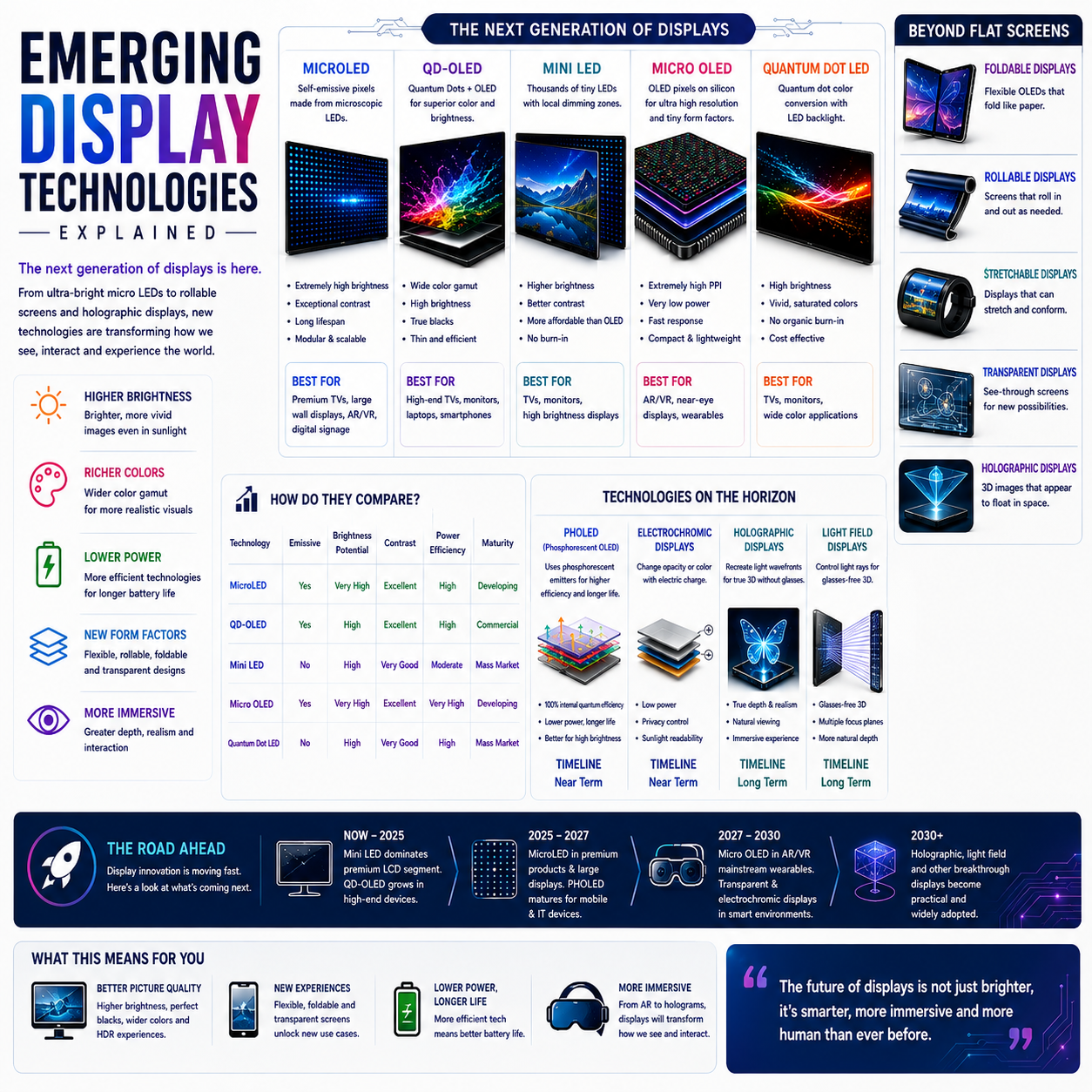
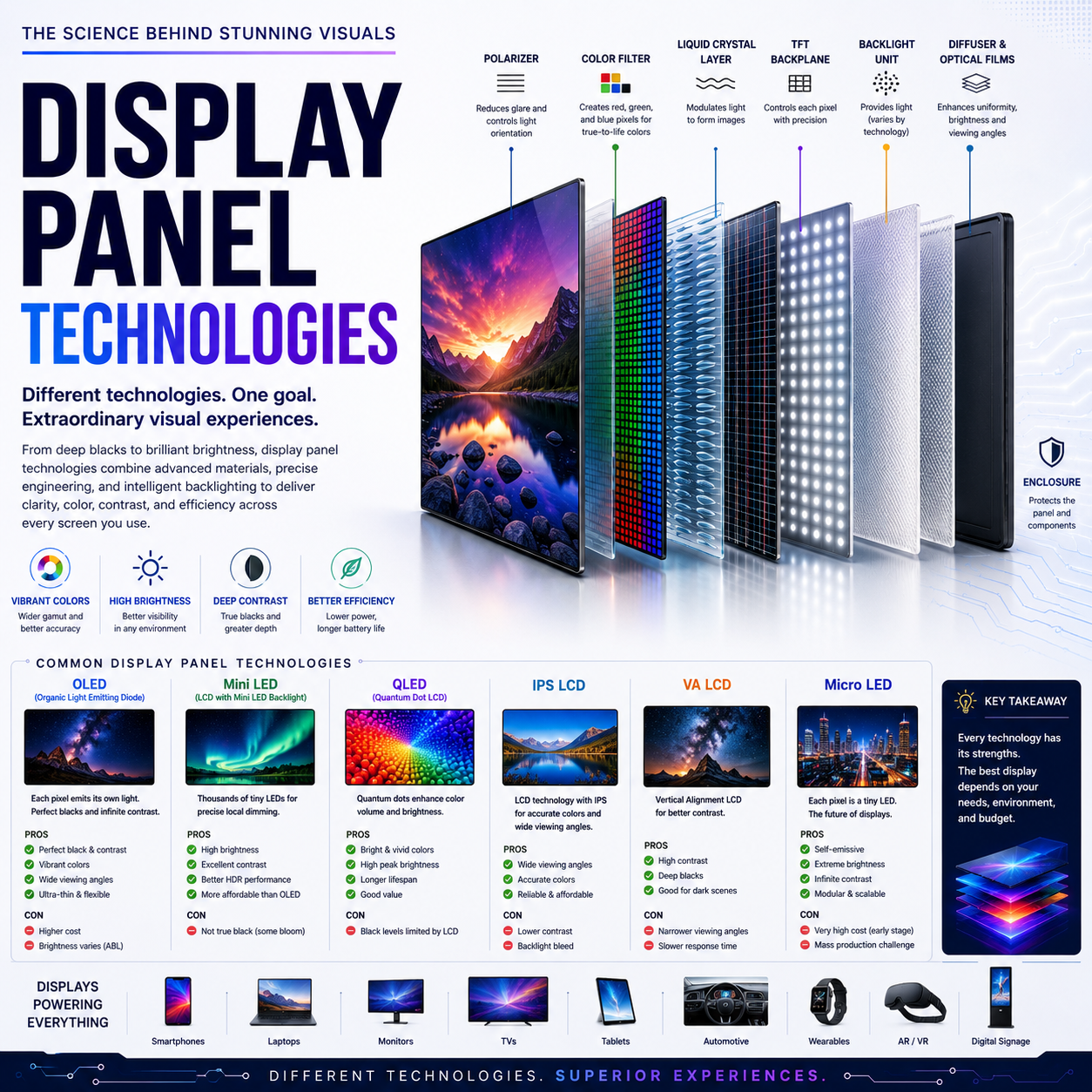
5. OLED: The Other Major Technology
Dual-Mode is the headline feature, but OLED is equally important.
OLED pixels are individually emissive.
That means each pixel controls its own light output rather than relying on a common backlight.
The basic difference is:
LCD
Backlight → LCD layer → Color → Image
OLED
Individual OLED pixels → Image
This allows OLED displays to produce extremely deep blacks.
When an OLED pixel is instructed to display black, it can effectively switch off.
The result is exceptionally high perceived contrast.
LG specifies a typical contrast ratio of 1,500,000:1 for the 32GS95UE-B and a minimum contrast specification of 1,200,000:1.
6. Why OLED Matters for Gaming
OLED provides several characteristics that are particularly relevant to gaming:
- Deep black levels
- High contrast
- Fast pixel response
- Strong color reproduction
- Excellent motion characteristics
- No conventional LCD backlight structure
Dark game environments can therefore look substantially different from those on conventional LCD panels.
Consider a night-time scene.
On an LCD:
Dark gray + backlight leakage
can reduce perceived contrast.
On OLED:
Dark area → pixels can turn off
which allows much deeper blacks.
That makes OLED particularly attractive for cinematic games and HDR content.
7. 0.03ms GtG Response Time
LG specifies a 0.03ms gray-to-gray response time.
This is an extremely small response interval.
Response time describes how quickly a pixel changes from one state to another.
Fast response helps reduce:
- Ghosting
- Smearing
- Motion trails
- Pixel-transition artifacts
OLED’s self-emissive architecture is inherently well suited to extremely fast pixel transitions.
But it is important to distinguish:
Pixel response time
from:
Total system latency
A 0.03ms response time does not mean the entire gaming system has 0.03ms input latency.
Total latency includes:
Input device
↓
Game engine
↓
CPU processing
↓
GPU rendering
↓
Display signal
↓
Monitor processing
↓
Pixel response
The LG’s response specification therefore describes one part of the overall latency chain.
8. 480Hz + OLED Response
The combination becomes particularly interesting in the FHD 480Hz mode.
At 480Hz, each refresh interval is approximately:
2.08ms
A display with extremely fast pixel transitions is better positioned to make use of such a high refresh rate because slow pixels could otherwise blur between frames.
In other words:
High refresh rate + slow response
can limit practical motion clarity.
Whereas:
High refresh rate + extremely fast response
can better preserve frame-to-frame definition.
That is one reason OLED has become increasingly important in high-end gaming monitors.
9. Micro Lens Array+ Technology
LG also identifies Micro Lens Array+ (MLA+) technology in this generation of UltraGear OLED. LG says its MLA+ implementation delivers a 37.5% higher brightness in SDR compared with the previous model it references.
The underlying idea is optical efficiency.
OLED light is generated within the panel, but not every photon naturally exits the display toward the viewer.
A micro-lens structure can redirect more of that emitted light toward the viewing direction.
Conceptually:
OLED emission
↓
Micro-lens array
↓
More efficient light extraction
↓
Higher perceived brightness
This is particularly important because OLED displays have historically faced a different brightness-versus-efficiency challenge than conventional LCD monitors.
10. Brightness Architecture
LG lists:
250 nits minimum
275 nits typical
and up to:
1,300 nits peak brightness
for the specified display.
However, peak brightness should not be interpreted as the monitor operating at 1,300 nits across the entire screen continuously.
OLED HDR brightness is highly dependent on:
- Highlight size
- Average Picture Level
- Thermal behavior
- Power management
- HDR content
- Panel protection mechanisms
LG’s own specification therefore distinguishes typical brightness from peak brightness.
This distinction is important when comparing OLED with LCD monitors.
11. DisplayHDR True Black 400
The monitor carries:
VESA DisplayHDR True Black 400
certification.
The “True Black” part is particularly relevant to OLED.
HDR is not simply about producing bright highlights.
It is about the range between:
deepest black
and
brightest usable highlight
OLED’s extremely low black level allows HDR scenes to retain strong contrast even when the absolute full-screen brightness is not comparable to some high-output LCD displays.
This can be especially effective in:
- Space games
- Night scenes
- Horror games
- Dark cinematic environments
- HDR movies
12. DCI-P3 98.5% Color
LG specifies:
DCI-P3 98.5%
under its stated measurement standard.
A wide color gamut allows the display to reproduce a broader range of saturated colors.
That benefits:
- Games
- HDR content
- Photography
- Video
- Digital artwork
LG also specifies 1.07 billion colors, corresponding to 10-bit-class color output capability.
The combination of:
OLED + wide gamut + HDR + high contrast
makes the display suitable for visually demanding gaming and media consumption.
13. VESA ClearMR 13000
The monitor also supports VESA ClearMR, with LG identifying ClearMR 13000 among its features.
ClearMR is designed to provide a more standardized way of evaluating motion clarity by considering the ratio between clear pixels and blurred pixels.
This is useful because conventional response-time specifications do not always tell the complete story about actual motion clarity.
For a gaming monitor operating at:
240Hz / 480Hz
motion performance is particularly important.
14. AdaptiveSync, G-SYNC and FreeSync
The 32GS95UE-B supports multiple synchronization technologies.
LG lists:
- VESA AdaptiveSync
- NVIDIA G-SYNC Compatible
- AMD FreeSync Premium Pro
These technologies address a major problem in PC gaming:
GPU frame rate ≠ monitor refresh rate
For example:
The monitor might be refreshing at one timing while the GPU delivers frames at:
177fps → 203fps → 191fps → 226fps
Variable refresh technology allows the display timing to adapt to changing frame delivery.
This reduces:
- Screen tearing
- Stutter
- Uneven presentation
and is particularly useful when frame rates fluctuate.
15. Why VRR Matters at 4K
4K gaming is computationally demanding.
Even powerful GPUs may not maintain a constant 240fps in demanding games.
A game might instead fluctuate between:
100–200fps
depending on:
- Ray tracing
- Texture quality
- Shadow quality
- Game engine
- Scene complexity
VRR becomes extremely useful in that situation.
The monitor doesn’t need to be locked permanently to one refresh rate.
Instead:
GPU frame output
↓
VRR synchronization
↓
Display refresh
This makes the high-resolution mode more practical across a wider range of games.
16. Pixel Sound: Turning the OLED Panel Into an Audio Surface
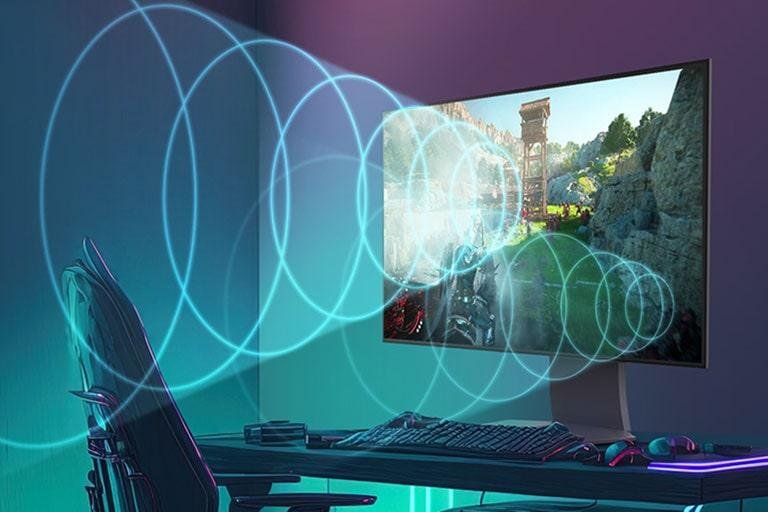
One of the most unusual features of the 32GS95UE-B is Pixel Sound with DTS Virtual:X.
LG describes Pixel Sound as delivering audio directly from the OLED screen. The monitor also incorporates a 10W × 2 speaker system.
This is interesting because conventional monitor speakers generally sit:
under the display
or
behind the display
Pixel Sound instead integrates the audio system into the display architecture.
The objective is to create a more spatially aligned audio presentation.
For gaming, this can make dialogue and effects feel more closely associated with the visual content.
17. DTS Virtual:X
DTS Virtual:X is designed to create a more expansive perceived sound field from a relatively compact speaker system.
Instead of requiring a physical multi-speaker surround configuration, processing attempts to create a spatial impression through psychoacoustic techniques.
This can be useful for:
- Games
- Movies
- Streaming
- General entertainment
However, virtual surround should not be confused with a true multi-channel speaker installation.
A dedicated audio system can still provide greater physical separation and acoustic output.
18. Anti-Glare and Low Reflection
LG specifies:
Anti-glare & Low Reflection
for the display.
This is particularly important for OLED.
The reason is simple:
OLED can produce extremely dark blacks, but ambient light reflecting from the panel can raise the perceived black level.
Therefore:
Better reflection control
can preserve:
Better perceived contrast
in rooms with windows, lamps or other light sources.
19. 4K 240Hz Connectivity
The monitor includes:
- 2 × HDMI
- 1 × DisplayPort
- 2 × USB downstream
- 1 × USB upstream
- 4-pole headphone output
LG lists DisplayPort 1.4 with DSC.
This is important because transmitting:
3,840 × 2,160 at 240Hz
requires substantial bandwidth.
Display Stream Compression, or DSC, allows the signal to be transmitted more efficiently while maintaining visually lossless quality under supported configurations.
20. Why DSC Matters
The display pipeline can be viewed as:
GPU
↓
Rendering
↓
Frame buffer
↓
DisplayPort 1.4
↓
DSC
↓
Monitor
↓
OLED panel
Without an efficient transmission mechanism, extremely high-resolution/high-refresh combinations can exceed the practical bandwidth available through some interfaces.
DSC therefore becomes an enabling technology for high-refresh 4K displays.
21. Dual-Mode and GPU Workload
The most interesting engineering decision remains the resolution switch.
At 4K:
3,840 × 2,160 = 8.29 million pixels
At FHD:
1,920 × 1,080 = 2.07 million pixels
Therefore:
4K = 4× the pixels of FHD
This means the 480Hz mode dramatically reduces the pixel workload.
That is why the monitor can provide:
4K 240Hz
for high-fidelity gaming,
while also providing:
FHD 480Hz
for extremely high frame-rate competitive gaming.
22. Who Needs 480Hz?
Not every gamer will benefit equally.
The 480Hz mode is most relevant to users playing games where:
- Frame rates can exceed 300fps
- Response time matters
- Rapid target movement is common
- Competitive performance is prioritized
- Lower visual resolution is acceptable
Examples include competitive:
- First-person shooters
- Arena shooters
- Esports titles
- Fast competitive games
For a cinematic single-player game, 4K 240Hz is generally the more appropriate mode because the additional image detail is valuable.
23. The 4K 240Hz Mode Is the Versatility Mode
The 4K mode is the more broadly useful configuration.
It provides:
4K resolution
OLED contrast
240Hz refresh
HDR
Wide color gamut
This combination works well for:
- AAA gaming
- Racing games
- RPGs
- Open-world games
- Strategy games
- Content creation
- Video
- General PC use
It essentially turns the display into a high-resolution gaming and productivity monitor.
24. Dual-Mode Is More Than a Preset
It would be easy to think of Dual-Mode as simply changing resolution.
Technically, its significance is greater.
The monitor is allowing the user to change the optimization target of the entire gaming experience.
Mode A
Image fidelity
Resolution ↑
Pixel density ↑
Detail ↑
Mode B
Temporal fidelity
Refresh rate ↑
Frame interval ↓
Motion responsiveness ↑
The user therefore chooses between two different dimensions of visual information:
Spatial information
versus
Temporal information
That is the deeper idea behind Dual-Mode.
25. Spatial vs Temporal Resolution
This distinction is worth understanding.
Spatial resolution
Describes how much detail can be represented in space.
4K provides:
3,840 × 2,160
Temporal resolution
Describes how frequently the display can update the image.
480Hz provides:
480 updates per second
Therefore:
4K 240Hz
emphasizes both strong spatial resolution and high temporal resolution.
But:
FHD 480Hz
sacrifices spatial resolution to maximize temporal resolution.
The 32GS95UE-B gives the gamer control over that balance.
26. Dynamic Action Sync
LG also provides Dynamic Action Sync.
This feature is designed to minimize processing delays so that user actions can be reflected on screen as quickly as practical.
For competitive gaming, small latency reductions can be meaningful because the complete interaction loop involves:
Mouse movement
→
USB input
→
Game engine
→
GPU
→
Display pipeline
→
Pixel response
Dynamic Action Sync addresses the display-processing portion of that chain.
27. Black Stabilizer
Dark environments can create another competitive problem.
A player hidden in a shadow may be difficult to distinguish from the background.
LG’s Black Stabilizer feature is designed to adjust shadow visibility.
This can help reveal details in dark areas.
The trade-off is that increasing shadow visibility can alter the intended artistic appearance of a game.
Therefore, it is best understood as a gaming visibility tool, rather than a universal image-quality enhancement.
28. Crosshair and FPS Counter
The monitor also provides gaming-oriented tools such as:
- Crosshair
- FPS Counter
- Game-related display controls
These are relatively small features, but they reinforce the monitor’s specialist gaming design.
The display isn’t merely designed to show an image.
It provides tools around the gaming workflow.
29. Hardware Calibration
LG lists:
HW Calibration Ready
and support for:
LG Calibration Studio.
This makes the monitor more interesting for users who combine gaming with creative work.
Hardware calibration allows compatible calibration workflows to communicate with the monitor’s display electronics rather than relying solely on operating-system-level color profiles.
That can improve consistency in color-managed workflows.
The monitor is still fundamentally a gaming display, but this capability makes it more flexible for creators.
30. Design and Ergonomics
LG’s Unity Hexagonal Design gives the monitor a distinctive gaming-oriented appearance while attempting to minimize desk footprint.
The stand supports:
- Height adjustment
- Tilt
- Swivel
- Pivot
LG lists a 100 × 100mm VESA mount as well.
This is important for a 31.4-inch monitor because positioning affects:
- Viewing distance
- Eye comfort
- Neck movement
- Color perception
- Field of view
31. Physical Dimensions
LG lists the monitor at approximately:
714.1 × 627.0 × 266.0mm
with the stand in its upper position.
Without the stand:
714.1 × 411.8 × 65.0mm
The monitor weighs approximately:
9.0kg with stand
and:
5.6kg without stand.
This makes the desk and mounting solution important considerations.
32. Productivity Beyond Gaming
Although designed primarily for gaming, the 31.4-inch 4K OLED format can also work as a productivity display.
4K provides substantial desktop space for:
- Video editing
- Photo editing
- Coding
- Research
- Documents
- Browsing
- Content production
The OLED contrast and color gamut are also useful for visual applications.
However, OLED-specific considerations remain relevant for users who keep static desktop elements visible for long periods.
33. OLED Burn-In Considerations
OLED introduces an important long-term consideration:
static image retention and burn-in.
Desktop applications can contain fixed elements such as:
- Taskbars
- Application menus
- Browser controls
- Windows
- Toolbars
- Game HUDs
Long-duration static content can therefore create different wear characteristics from those of an LCD panel.
Users should make appropriate use of the monitor’s OLED protection features and follow LG’s operating recommendations.
The important point is not that OLED should be avoided for desktop work.
Rather:
OLED requires OLED-aware usage.
34. The Monitor’s Three Main User Profiles
The 32GS95UE-B effectively serves three overlapping audiences.
1. AAA Gamer
Uses:
4K + 240Hz + OLED + HDR
Priority:
Image quality
2. Competitive Gamer
Uses:
FHD + 480Hz + OLED + VRR
Priority:
Motion and responsiveness
3. Hybrid Creator/Gamer
Uses:
4K OLED + wide color gamut + calibration support
Priority:
Gaming + creative work
That versatility is the reason Dual-Mode is such an important feature.
35. 4K 240Hz vs FHD 480Hz
| Characteristic | 4K 240Hz | FHD 480Hz |
|---|---|---|
| Resolution | 3,840 × 2,160 | 1,920 × 1,080 |
| Pixels/frame | ~8.29M | ~2.07M |
| Refresh rate | 240Hz | 480Hz |
| Refresh interval | ~4.17ms | ~2.08ms |
| Image detail | Much higher | Lower |
| GPU workload | Much higher | Much lower |
| Competitive gaming | Very good | Primary use case |
| AAA gaming | Excellent | Less appropriate |
| Esports | Excellent | Specialized |
| Visual fidelity | Priority | Secondary |
| Motion frequency | High | Extremely high |
The correct choice depends on the game and the user’s priorities.
36. What Makes This Monitor Different?
Many 4K OLED gaming monitors compete primarily on:
resolution + refresh rate + HDR + response time.
The LG 32GS95UE-B adds another dimension:
configuration flexibility.
The monitor effectively provides two display identities:
Identity 1
High-resolution OLED gaming monitor
Identity 2
Ultra-high-refresh competitive gaming monitor
That is its most important technological distinction.
37. Limitations to Consider
The Dual-Mode architecture is powerful, but it involves compromises.
First, 480Hz is available at FHD rather than 4K.
Second, taking advantage of 240Hz at 4K requires a sufficiently capable graphics system.
Third, games must actually produce high frame rates to exploit the higher refresh rates.
Fourth, OLED’s long-term behavior with static content remains an important consideration for heavy desktop users.
Fifth, the 32GS95UE-B is a 16:9 monitor, so users looking for an immersive ultrawide experience will need to consider a 21:9 or 32:9 display instead.
The product is therefore optimized around a particular philosophy:
high-resolution OLED when image quality matters, and extremely high refresh when competitive speed matters.
38. The Bigger Technology Story
The LG UltraGear 32GS95UE-B illustrates a broader development in gaming-monitor engineering.
The industry is moving away from treating the monitor as a fixed specification.
Instead, modern displays are becoming increasingly adaptive.
A conventional monitor might effectively say:
“This is my resolution and this is my refresh rate.”
The 32GS95UE-B says:
“Choose the display behavior appropriate to the game.”
That is a significant conceptual shift.
The monitor becomes a configurable interface between:
GPU capability
and
human visual requirements.
39. Final Analysis
The LG UltraGear 79.75 cm (31.4-inch) 32GS95UE-B is best understood not merely as a 4K OLED gaming monitor, but as a dual-purpose high-performance display platform.
Its foundation is a 3,840 × 2,160 OLED panel with a 240Hz maximum refresh rate, 0.03ms GtG response time, DisplayHDR True Black 400, DCI-P3 98.5% color coverage and support for AdaptiveSync, G-SYNC Compatible and FreeSync Premium Pro.
But the defining technology is Dual-Mode.
The monitor can operate at:
4K 240Hz
for high-resolution, high-fidelity gaming,
or:
FHD 480Hz
for extremely high-frame-rate competitive gaming.
That difference represents more than a change in resolution.
It is a choice between two types of visual information:
Spatial detail
and
Temporal speed.
At 4K, the monitor delivers approximately 8.29 million pixels per frame, making it suitable for detailed AAA games, HDR content and creative applications.
At FHD, the pixel workload falls to approximately 2.07 million pixels per frame, allowing the system to pursue frame rates up to the monitor’s 480Hz mode.
The OLED panel adds another dimension through deep blacks, extremely fast pixel transitions and strong contrast. LG’s implementation further incorporates Micro Lens Array+, DisplayHDR True Black 400, wide DCI-P3 coverage and Pixel Sound with DTS Virtual:X.
The result is a monitor designed around adaptability rather than a single performance target.
For cinematic gaming:
4K + OLED + HDR + 240Hz
For competitive gaming:
FHD + OLED + 480Hz
For hybrid creative work:
4K + OLED + wide color gamut + calibration support
This is the deeper significance of the LG UltraGear 32GS95UE-B.
The future of high-end gaming monitors is increasingly moving beyond the question of “How fast is the panel?”
The more interesting question is becoming:
“How intelligently can the display adapt its resolution, refresh rate, image processing and response characteristics to the task?”
The 32GS95UE-B provides one answer to that question through its Dual-Mode architecture: one OLED display, two performance priorities, and a direct choice between visual fidelity and competitive speed.
.
Full Specifications : LG UltraGear 32GS95UE-B
LG Electronics
Model: LG UltraGear 32GS95UE-B
Product: Dual-Mode OLED Gaming Monitor
Series: UltraGear
Model Year: 2024 / Y24
Category: 4K OLED Gaming Monitor
Official model: 32GS95UE-B.ATR for the India support listing
1. Display Specifications
| Specification | Details |
|---|---|
| Display Size | 79.75 cm / 31.4-inch marketed size |
| Detailed LG specification | 79.9 cm / 31.5-inch |
| Panel Type | OLED |
| Display Technology | OLED |
| Resolution | 3840 × 2160 |
| Resolution Class | 4K UHD |
| Aspect Ratio | 16:9 |
| Pixel Pitch | 0.1814 × 0.1814 mm |
| Pixel Count | Approx. 8.29 million |
| Color Depth | 1.07 billion colors |
| Viewing Angle | 178° horizontal / 178° vertical |
| Refresh Rate | Up to 240Hz |
| Response Time | 0.03ms GTG |
| Typical Brightness | 275 cd/m² |
| Minimum Brightness | 250 cd/m² |
| Typical Contrast Ratio | 1,500,000:1 |
| Minimum Contrast Ratio | 1,200,000:1 |
| Color Gamut | DCI-P3 98.5% typical |
| Minimum Color Gamut | DCI-P3 94% |
| HDR | HDR10 |
| VESA HDR | DisplayHDR True Black 400 |
| Anti-Glare | Yes |
| Low Reflection | Yes |
| Factory Color Calibration | Yes |
LG specifies a 1.5-million:1 contrast ratio at 25% APL and DCI-P3 coverage of 98.5% typical.
2. Dual-Mode Technology
This is the defining feature of the 32GS95UE-B.
| Mode | Resolution | Refresh Rate |
|---|---|---|
| High-Resolution Mode | 3840 × 2160 | 240Hz |
| Competitive Mode | 1920 × 1080 | 480Hz |
Dual-Mode
4K 240Hz ↔ FHD 480Hz
The monitor allows the user to switch between high spatial resolution and extremely high refresh rate depending on the game. LG notes that Dual-Mode performance can vary according to game type.
3. Gaming Performance
| Feature | Specification |
|---|---|
| Maximum Refresh Rate | 240Hz |
| Dual-Mode | 4K 240Hz / FHD 480Hz |
| Response Time | 0.03ms GTG |
| VRR | Yes |
| AdaptiveSync | VESA Certified AdaptiveSync |
| NVIDIA Compatibility | G-SYNC Compatible |
| AMD Technology | FreeSync Premium Pro |
| Motion Certification | VESA ClearMR 13000 |
| Dynamic Action Sync | Yes |
| Black Stabilizer | Yes |
| Crosshair | Yes |
| FPS Counter | Yes |
| HDR Effect | Yes |
| Auto Input Switch | Yes |
| User Defined Key | Yes |
LG specifically lists VESA ClearMR 13000, designed to certify low motion blur, alongside AdaptiveSync, G-SYNC Compatible and FreeSync Premium Pro.
4. OLED Technology
| Technology | Details |
|---|---|
| Panel | OLED |
| Micro Lens Array | MLA+ |
| OLED Brightness | 275 nits typical |
| Peak Brightness | Up to 1,300 nits |
| HDR | DisplayHDR True Black 400 |
| Contrast | Up to 1,500,000:1 typical |
| Color | DCI-P3 98.5% typical |
| Anti-Reflection | Anti-glare & Low Reflection |
| Pixel Response | 0.03ms GTG |
LG states that its Micro Lens Array+ implementation provides higher SDR brightness than the previous MLA approach, and advertises peak brightness up to 1,300 nits under specified conditions.
5. Connectivity
| Port / Connection | Quantity / Specification |
|---|---|
| HDMI | 2 × |
| DisplayPort | 1 × |
| DisplayPort Version | 1.4 with DSC |
| USB Upstream | 1 × USB 3.0 |
| USB Downstream | 2 × USB 3.0 |
| Headphone | 4-pole Sound + Mic |
| VRR | Supported |
| Auto Input Switch | Yes |
LG’s UK specification additionally identifies the supplied HDMI cable as HDMI 2.1, while the monitor’s DisplayPort connection is specified as DP 1.4 with DSC.
Important
There is no USB-C video input listed in LG’s official specification, so this should not be described as a USB-C monitor.
6. Audio Specifications
| Specification | Details |
|---|---|
| Built-in Speakers | Yes |
| Speaker Configuration | 10W × 2 |
| Total Speaker Output | 20W |
| Pixel Sound | Yes |
| DTS Virtual:X | Yes |
| Headphone Output | 4-pole Sound + Mic |
The Pixel Sound system is one of the monitor’s major design features, with LG specifying 10W × 2 speakers and DTS Virtual:X support.
7. Gaming Features
| Feature | Availability |
|---|---|
| Dynamic Action Sync | Yes |
| Black Stabilizer | Yes |
| Crosshair | Yes |
| FPS Counter | Yes |
| HDR Effect | Yes |
| VRR | Yes |
| AdaptiveSync | Yes |
| G-SYNC Compatible | Yes |
| FreeSync Premium Pro | Yes |
| Auto Input Switch | Yes |
| User Defined Key | Yes |
| Reader Mode | Yes |
| Color Weakness Mode | Yes |
| Smart Energy Saving | Yes |
8. OLED Protection
The monitor incorporates several OLED-care functions:
- OLED Screen Move
- Screen Saver
- Image Cleaning
- OLED maintenance functions
LG recommends these functions to reduce the risk of image retention and burn-in. LG also explicitly notes that these measures may not prevent every instance of afterimage or burn-in.
9. Color & Calibration
| Feature | Specification |
|---|---|
| Color Gamut | DCI-P3 98.5% typical |
| Minimum Color Gamut | DCI-P3 94% |
| Color Depth | 1.07 billion |
| Factory Calibration | Yes |
| Hardware Calibration | Ready |
| LG Calibration Studio | Supported |
| Color Weakness | Yes |
| HDR10 | Yes |
| HDR Effect | Yes |
| Reader Mode | Yes |
The monitor supports hardware calibration and LG Calibration Studio, although LG notes that the required calibration software/sensor are not included in the package.
10. Ergonomics
| Adjustment | Supported |
|---|---|
| Height | Yes |
| Tilt | Yes |
| Swivel | Yes |
| Pivot | Yes |
| VESA Mount | Yes |
| VESA Size | 100 × 100 mm |
LG describes the stand as supporting tilt, height, swivel and pivot adjustment.
11. Dimensions
With Stand
Upper position:
714.1 × 627.0 × 266.0 mm
Lower position:
714.1 × 507.0 × 266.0 mm
Without Stand
714.1 × 411.8 × 65.0 mm
Shipping
973 × 183 × 544 mm
12. Weight
| Configuration | Weight |
|---|---|
| Monitor + Stand | 9.0 kg |
| Monitor Without Stand | 5.6 kg |
| Shipping Weight | 12.8 kg |
13. Design
| Specification | Details |
|---|---|
| Design Family | UltraGear |
| Design | Unity Hexagonal Design |
| Rear Lighting | Unity Hexagon Lighting |
| Stand | L-shaped / compact design |
| Adjustments | Height, Tilt, Swivel, Pivot |
| VESA | 100 × 100 mm |
LG’s Unity Hexagonal Design is part of the 32GS95UE-B’s visual identity, including rear lighting.
14. Software
| Software / Function | Support |
|---|---|
| OnScreen Control | Yes |
| LG Calibration Studio | Yes |
| Dual Controller | Yes |
| User Defined Key | Yes |
| OSD | Yes |
| Gaming GUI | Yes |
LG’s India support page currently lists LG Calibration Studio, Dual Controller and OnScreen Control software for this model.
15. Power
| Specification | Details |
|---|---|
| AC Input | 100–240V |
| Frequency | 50/60Hz |
| Power Adapter | External |
| On-Mode Consumption | 55W |
| On-Mode ErP | 32W |
| Sleep Mode | <0.5W |
| DC Off | <0.3W |
| DC Output | 19.5V / 10.8A |
16. Included Accessories
LG’s regional specification lists:
- HDMI cable
- DisplayPort cable
- USB A-to-B cable
- Power adapter
- Power cord
- Calibration report
- Mouse holder / related accessory depending on regional package
The UK specification specifically lists an HDMI 2.1 cable, DisplayPort cable, USB A-to-B cable, adapter and calibration report. Package contents can vary by market.
17. Compliance / Manufacturing in India
| Item | Details |
|---|---|
| Country of Origin | India |
| Manufacturer | LG Electronics India Ltd. |
| Manufacturing Location | Plot No. A5, MIDC Rajangaon, Tal. Shirur, Pune – 412220 |
| Net Quantity | 1 |
18. Warranty: India
LG India’s support page currently lists:
Labour: 1 year
Parts: 1 year
LG also states that warranty coverage can vary by model/year and advises checking the warranty terms for the specific unit.
19. Complete Core Specification :Quick Reference
| Category | LG UltraGear 32GS95UE-B |
|---|---|
| Model | 32GS95UE-B |
| Series | UltraGear |
| Panel | OLED |
| Size | 31.4-inch / 31.5-inch specification |
| Resolution | 3840 × 2160 |
| Aspect Ratio | 16:9 |
| Pixel Pitch | 0.1814 mm |
| Colors | 1.07 billion |
| Viewing Angle | 178° / 178° |
| Refresh Rate | 240Hz |
| Dual Mode | 4K 240Hz ↔ FHD 480Hz |
| Response Time | 0.03ms GTG |
| Brightness | 275 nits typical |
| Peak Brightness | Up to 1,300 nits |
| Contrast | 1,500,000:1 typical |
| Color Gamut | DCI-P3 98.5% |
| HDR | HDR10 |
| HDR Certification | DisplayHDR True Black 400 |
| OLED Technology | MLA+ |
| Motion Certification | VESA ClearMR 13000 |
| VRR | Yes |
| AdaptiveSync | Yes |
| G-SYNC | Compatible |
| FreeSync | Premium Pro |
| HDMI | 2 × |
| DisplayPort | 1 × DP 1.4 DSC |
| USB-A Downstream | 2 × USB 3.0 |
| USB Upstream | 1 × USB 3.0 |
| Headphone | 4-pole |
| Speakers | 10W × 2 |
| Pixel Sound | Yes |
| DTS Virtual:X | Yes |
| Anti-Glare | Yes |
| Low Reflection | Yes |
| Hardware Calibration | Ready |
| Factory Calibration | Yes |
| Height Adjustment | Yes |
| Tilt | Yes |
| Swivel | Yes |
| Pivot | Yes |
| VESA | 100 × 100 mm |
| With Stand | 714.1 × 627.0 × 266 mm |
| Without Stand | 714.1 × 411.8 × 65 mm |
| Weight with Stand | 9.0 kg |
| Weight without Stand | 5.6 kg |
| Power | 55W On-Mode |
| Input Voltage | 100–240V |
| Operating System | Not applicable |
| Country of Origin | India |